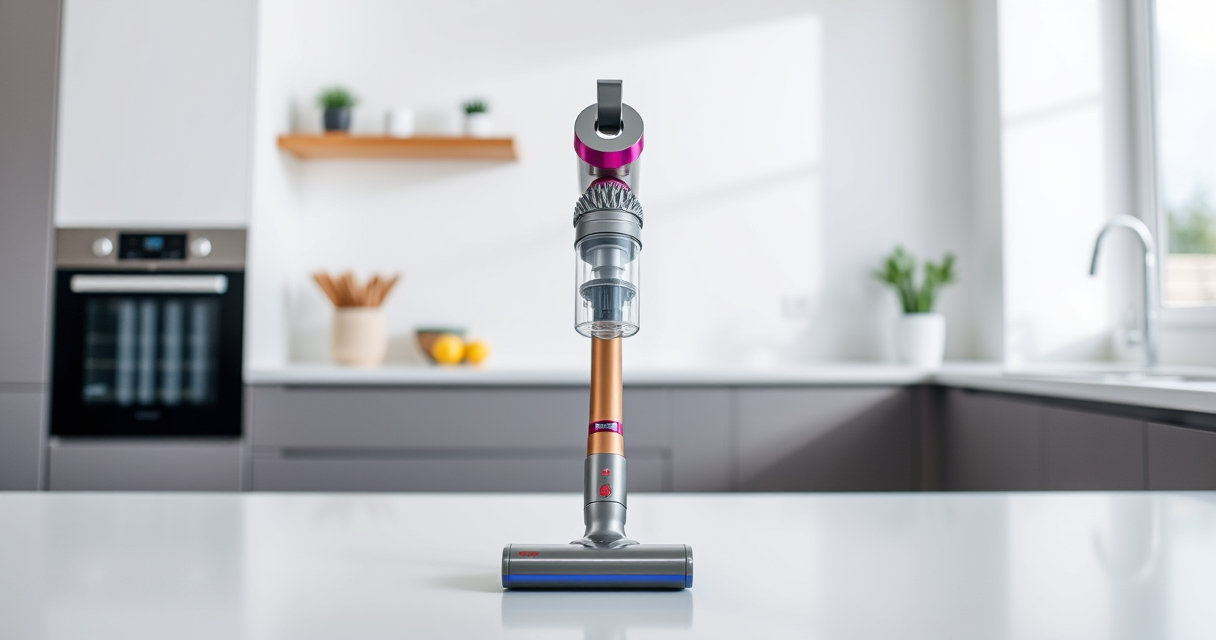
If your Dyson V15 Detect™ Origin cordless vacuum is experiencing no suction, it can be frustrating and hinder your cleaning. This guide provides practical, step-by-step troubleshooting techniques to identify and resolve common causes safely, ensuring your vacuum performs at its best.

Get cleaning gear delivered free with Prime
- Fast, free delivery on millions of items
- Prime Video, Amazon Music and more included
- Member-only deals all year
From checking filters to clearing blockages, follow these detailed instructions to restore power and suction, keeping your Dyson efficiently cleaning your entire home.
Key Takeaways
| Regular Maintenance | Clean filters and check for blockages frequently. |
| Proper Assembly | Ensure all parts are securely attached. |
| Filter Checks | Replace or clean filters as needed. |
| Clear Blockages | Inspect and remove obstructions from hose and wand. |
| Battery & Power | Verify the battery is charged and power trigger functions. |
Check the Power and Battery
- Ensure the vacuum is fully charged. Connect it to the charger and wait until the indicator shows full charge.
- Press the power trigger firmly. If no response, try resetting the vacuum by turning it off, then on again.
- Make sure the battery compartment is properly connected and the battery is securely installed.
Inspect and Clean the Filters
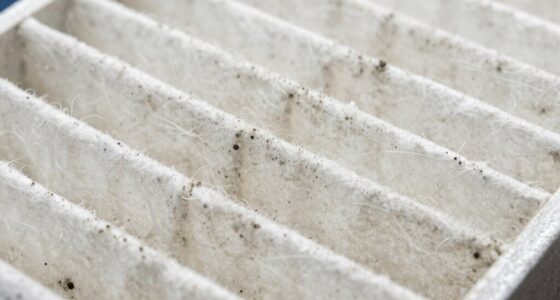
- Remove the pre-filters and main filters from the vacuum as per the user manual.
- Wash the filters with water, avoiding soap, and let them air dry completely before reinstalling.
- Replace filters if they are damaged or excessively dirty, using the 3Pack Pre Filters Replacement or V10 Filters if applicable.
Check for Blockages
- Disconnect the wand and cleaner head from the main body.
- Inspect the wand, cleaner heads, and hose for obstructions. Remove any debris or tangled hair.
- Use a thin, flexible object like the crevice tool to gently dislodge blockages in tight areas.
Examine the Attachments and Connections
- Ensure all attachments, including the cleaner heads and crevice tools, are properly clicked into place.
- Check that the cleaner heads are not clogged or jammed, especially the Digital Motorbar head, which can de-tangle hair.
- Confirm that the dirt bin is correctly seated and not overfilled, as this can affect suction.
Test and Final Checks
Power on the vacuum and test suction. If the problem persists, repeat the above steps or consider replacing filters or contacting Dyson support for further assistance.
The Products in This Guide

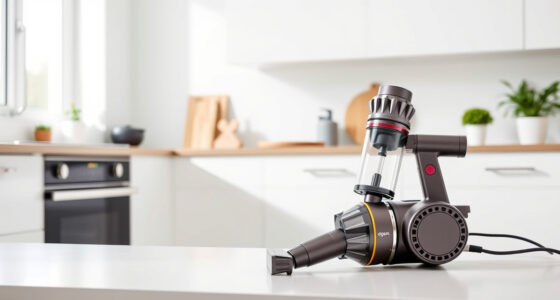
Dyson V15 Detect™ Origin Cordless Vacuum
- ✔ Weight: 6.8 lbs
- ✔ Battery Life: Up to 60 mins
- ✔ Filtration: HEPA filter system

LANMU Crevice Tool Vacuum Attachments Compatible
- ✔ Material: Plastic
- ✔ Compatible Models: V15, V12, V11, V10, V8, V7
- ✔ Length: 12 inches
Dyson V15 Detect™ Origin Cordless Vacuum
The Dyson V15 Detect™ Origin offers deep cleaning with advanced features like laser dust detection and intelligent power adjustment. Regular maintenance and proper troubleshooting can keep it performing at its peak.
Pros:
- Powerful suction
- Intelligent debris detection
- Long battery life
- Multiple cleaning modes
Cons:
- Filters need regular cleaning
- Can be heavy for prolonged use
- Pricey accessories
Best for: Homeowners seeking deep, intelligent cleaning
Not ideal for: Users who prefer lightweight or budget vacuums
Bottom line: Regular maintenance and careful inspection restore suction effectively.
LANMU Crevice Tool Vacuum Attachments Compatible
This crevice tool attachment fits many Dyson models, helping you clean narrow gaps and corners efficiently. It’s slim, flexible, and easy to attach, making it ideal for detailed cleaning tasks.
Pros:
- Narrow nozzle for tight spaces
- Compatible with many Dyson models
- Flexible and easy to maneuver
- Durable build
Cons:
- Not suitable for heavy debris
- Requires proper attachment for best performance
- Limited to compatible models
Best for: Cleaning tight corners, car interiors, and furniture gaps
Not ideal for: Heavy-duty or large debris removal
Bottom line: A handy tool for reaching tricky spots during cleaning.
Frequently Asked Questions
Why does my Dyson vacuum have no suction?
Common causes include clogged filters, blockages in the wand or hose, loose attachments, or a full dust bin. Regular inspection and maintenance help resolve these issues.
How often should I clean or replace filters?
Filters should be washed every 1-3 months and replaced if damaged or excessively dirty. Using the 3Pack Pre Filters Replacement can help maintain optimal suction.
Can blockage cause suction problems?
Yes, blockages in the wand, hose, or cleaner heads restrict airflow, significantly reducing suction. Clearing these obstructions restores performance.
What should I do if my vacuum still has no suction after troubleshooting?
If issues persist, contact Dyson customer support or consider replacing filters or parts as needed. Avoid disassembling beyond instructions to prevent damage.
Keep Your Dyson at Peak Performance
Regular maintenance, including cleaning filters, checking for blockages, and ensuring proper assembly, is key to preventing suction issues. By following these troubleshooting steps, you can keep your Dyson V15 Detect™ Origin working efficiently for a thorough clean every time.
Affiliate disclosure: As an Amazon Associate we earn from qualifying purchases. Prices and availability are accurate as of the time of publishing.
Fall Picks
fall essentials
As an affiliate, we earn on qualifying purchases.