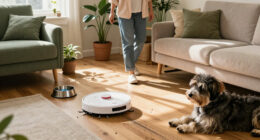
If your Roborock Q7 M5+ robot vacuum is having trouble connecting to WiFi, you’re not alone. Connectivity issues can stem from various causes, including network problems, app glitches, or firmware outdatedness. This guide offers clear, safe steps to troubleshoot and restore your vacuum’s WiFi connection, ensuring your cleaning routine stays uninterrupted.

Get cleaning gear delivered free with Prime
- Fast, free delivery on millions of items
- Prime Video, Amazon Music and more included
- Member-only deals all year
Follow these practical steps carefully to identify and resolve common WiFi connection issues with your Roborock vacuum.
Key Takeaways
| Identify your network issues | Check your WiFi signal and router settings. |
| Ensure app and firmware are up-to-date | Update the Roborock app and vacuum firmware. |
| Reset and reconnect your device | Power cycle your vacuum and reconfigure WiFi. |
| Check for interference | Reduce electronic interference near your robot. |
Verify Your WiFi Network
- Ensure your WiFi network is active and stable. Test other devices’ connectivity.
- Make sure your router is within a reasonable distance of your Roborock vacuum.
- Check that your network frequency is compatible (2.4GHz is preferred for most Roborock models).
Restart Your Router and Vacuum
- Unplug your router, wait 30 seconds, then plug it back in.
- Power off your Roborock vacuum, wait 10 seconds, then turn it back on.
Update the Roborock App and Firmware
- Open the Roborock app and check for updates. Install any available updates.
- In the app, go to device settings and check for firmware updates for your vacuum.
Reconfigure WiFi Settings
- Reset your vacuum’s WiFi by holding the reset button until the WiFi indicator flashes.
- Follow the app instructions to reconnect your vacuum to WiFi, selecting the correct 2.4GHz network.
Troubleshoot Interference and Signal Issues
- Move your router to a central location away from thick walls or electronic devices.
- Ensure no other devices are causing WiFi congestion.
The Products in This Guide

roborock Q7 M5+ Robot Vacuum and Mop
- ✔ Self-Emptying: Up to 9 weeks
- ✔ Suction Power: 10000Pa
- ✔ Navigation: PreciSense LiDAR

4 Pack Washable Filter
- ✔ Pack: 4 filters
- ✔ Material: HEPA
- ✔ Compatibility: Multiple Roborock models
roborock Q7 M5+ Robot Vacuum and Mop
The Roborock Q7 M5+ Robot Vacuum and Mop offers advanced navigation, up to 7-9 weeks of self-emptying, and strong 10000Pa suction. Its WiFi connectivity is crucial for app control, making troubleshooting essential for uninterrupted use.
Pros:
- Powerful 10000Pa suction
- Up to 9 weeks self-emptying
- PreciSense LiDAR Navigation
- App control and updates
Cons:
- WiFi connection issues possible
- Requires stable network setup
- Setup can be technical for some
Best for: Homeowners seeking a high-performance, app-controlled vacuum
Not ideal for: Users with unreliable WiFi networks or limited technical skills
Bottom line: Ensure your WiFi setup is optimal for seamless Roborock operation.
4 Pack Washable Filter
Replacing your filters regularly ensures optimal suction and air quality. The 4 Pack Washable Filters are compatible with multiple Roborock models, including the Q7 and Q5 Max+.
Pros:
- Reusable and washable
- Maintains suction efficiency
- Compatible with multiple models
- Easy to install
Cons:
- Requires regular cleaning
- Not OEM but high quality
- May need replacement every few months
Best for: Maintaining optimal filtration and suction
Not ideal for: Users seeking disposable filters only
Bottom line: Use these washable filters to keep your vacuum running efficiently.
Frequently Asked Questions
Why won’t my Roborock connect to WiFi?
Common reasons include network issues, outdated firmware, or incorrect WiFi settings. Follow troubleshooting steps to resolve.
How do I reset my Roborock’s WiFi connection?
Hold the reset button on the vacuum until the WiFi indicator flashes, then reconnect via the app.
Can I use a 5GHz WiFi network with my Roborock?
Most Roborock models, including the Q7 M5+, work best with 2.4GHz networks. Switch your router to 2.4GHz for compatibility.
How often should I update the firmware?
Regularly check the app for firmware updates to ensure optimal performance and connectivity.
Stay Connected for Optimal Cleaning
Maintaining a stable WiFi connection is vital for your Roborock vacuum’s performance. By following these troubleshooting steps, you can resolve most connectivity issues and enjoy hassle-free cleaning. Regular updates and proper placement of your router will keep your device functioning at its best.
Affiliate disclosure: As an Amazon Associate we earn from qualifying purchases. Prices and availability are accurate as of the time of publishing.
Evergreen bestsellers Picks
bestsellers
As an affiliate, we earn on qualifying purchases.