To guarantee your robot vacuum’s privacy, review its app security settings carefully. Check if the app uses strong encryption to protect your data and verify permissions for microphone, camera, or location are necessary. Adjust privacy options to limit data sharing or disable features like voice recording and mapping if you don’t need them. Stay informed about privacy policies and updates. By managing these settings, you help shield your personal information—keep exploring for more detailed guidance.
Key Takeaways
- Verify if the app encrypts stored data to protect sensitive information like maps and audio recordings.
- Review and adjust privacy settings to limit data sharing and disable unnecessary features such as voice recording.
- Manage app permissions carefully, especially for microphone, camera, and location access.
- Read privacy policies to understand data collection, usage, and sharing practices by the manufacturer.
- Enable additional security measures like two-factor authentication and keep the app updated regularly.
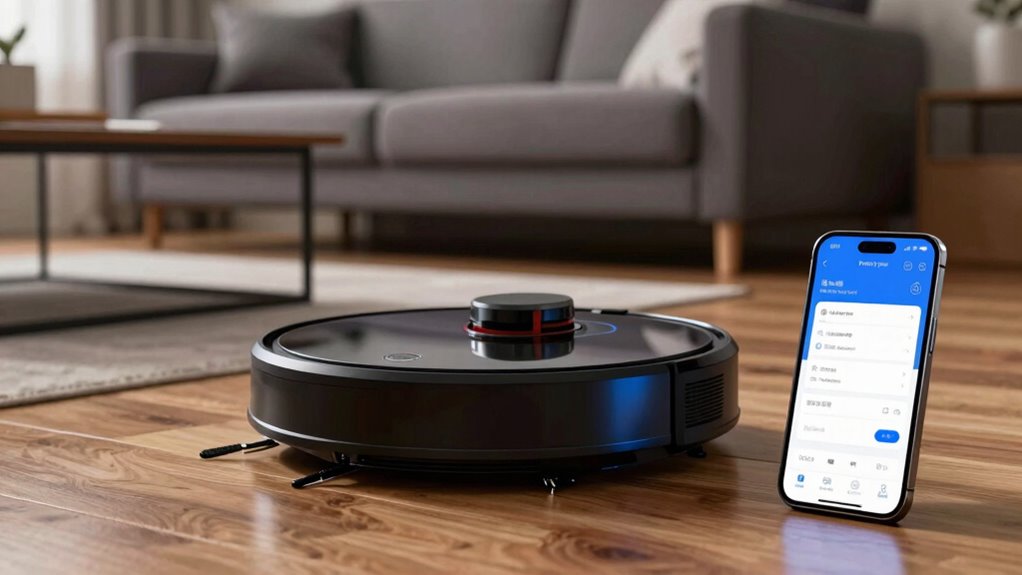
Robot vacuums have become popular for their convenience, but they also raise important privacy concerns. When you set up and use these devices, you’re often giving them access to your home environment, which can include sensitive information. To protect yourself, it’s essential to review your app settings carefully. These apps generally control your vacuum’s functions, but they also handle data that could be privacy-sensitive. One of the first things to check is whether your app uses data encryption. Data encryption transforms your information into a coded format, making it much harder for unauthorized parties to intercept or access your data. If encryption isn’t enabled or isn’t robust, your personal data, such as room layouts, audio, or even images captured by the device, could be vulnerable.
Review your robot vacuum app’s data encryption settings to protect sensitive home information from unauthorized access.
Another critical aspect to review is user consent. When you connect your vacuum to the app, you’re often asked to agree to certain terms and conditions. It’s important to read these carefully and understand what data you’re consenting to share. Some manufacturers collect more information than necessary, like audio recordings or detailed mapping data, which could be misused or accessed by third parties. Make sure you’re comfortable with the level of data collection and that you retain control over what’s shared. Many apps now allow you to customize your privacy settings, so take advantage of these options to limit data sharing or disable features you don’t need, such as voice recording or detailed mapping.
Beyond these, review the permissions you grant the app on your device. Does it require access to your microphone, camera, or location? If you don’t see a clear reason for these permissions, consider disabling them. Also, check if the app offers options to delete your stored data or to turn off data collection entirely. Regularly updating your app ensures you benefit from the latest security improvements, including stronger data encryption protocols. Additionally, understanding home network security can help prevent unauthorized access to your device and data.
Being proactive about privacy means not only adjusting settings but also understanding how your data is handled. Read the privacy policy of your device’s manufacturer, and stay informed about any updates or changes they make to their privacy practices. If available, enable two-factor authentication to add an extra layer of security to your account. By reviewing app settings with a focus on data encryption, user consent, and permission controls, you can enjoy the convenience of your robot vacuum while safeguarding your personal information from unnecessary exposure.
Frequently Asked Questions
Can I Disable Data Collection Without Affecting Vacuum Functionality?
Yes, you can disable data collection without affecting your vacuum’s functionality. You just need to review your app permissions and turn off options related to local data sharing. This way, your vacuum will still clean effectively, but it won’t send personal data to the manufacturer. Make sure to check the app’s privacy settings to guarantee data collection is turned off, keeping your information private while maintaining ideal vacuum performance.
How Secure Is the Wi-Fi Connection Used by the Robot Vacuum?
Oh, your robot vacuum’s Wi-Fi? It’s as secure as a secret password—thanks to Wi-Fi encryption and robust network security. While it’s designed to keep hackers out, you still shouldn’t get complacent. Regularly update your router’s firmware, use strong, unique passwords, and enable WPA3 if available. These steps guarantee your vacuum’s connection remains safer than a guarded treasure chest, even in today’s tech-savvy world.
Are There Options to Delete Stored Cleaning Maps and Data?
Yes, you can delete stored cleaning maps and manage your data. Most robot vacuum apps offer options for map deletion through their settings or data management sections. You simply access the app, go to the map or data management menu, and select the delete or remove option. This helps protect your privacy and keeps your data organized, giving you control over your cleaning information at all times.
Does App Access Require Ongoing Internet Connection?
Like the secret passageways in a spy novel, your app doesn’t always need a constant internet connection. Typically, it requires internet access for initial setup, firmware updates, and remote control, but many features, like local network control, work offline once connected. You should review your app permissions to verify it accesses only what’s necessary, and keep the app connected to your local network for seamless operation without ongoing internet reliance.
What Privacy Policies Do Manufacturers Follow for Data Handling?
Manufacturers generally follow strict privacy policies involving transparency about data handling. They often implement data encryption to protect your information from unauthorized access. You should check if the manufacturer clearly states their data collection practices, how they use your data, and whether they share it with third parties. This transparency helps you decide if their data handling practices align with your privacy preferences and if you’re comfortable using their robot vacuum.
Conclusion
So, next time your robot vacuum whirls around, remember it’s probably spying on your snack stash or your midnight dance parties. Don’t just ignore those app settings—tweak them! After all, who wouldn’t want a tiny robot peeking behind the curtains—and maybe sharing your secrets with the internet? Stay vigilant, or soon your vacuum might be gossiping about your questionable cleaning habits. Privacy isn’t just a setting; it’s your right—so give it the attention it deserves.