
TL;DR
Robotic vacuum cleaners are autonomous floor-cleaning devices that use sensors, software, and suction to collect everyday dust and debris. They can keep floors tidier between deeper cleans, but their results depend on flooring, clutter, navigation, and upkeep. Match features to your home, check independent tests, and count replacement parts and dock maintenance in the real cost.
At 8 a.m., your dog trots across the kitchen with a trail of grit behind him. You could grab the vacuum before work, or let a small robot patrol the floor while you make coffee. That convenience is real, but the robot still needs a home that suits its wheels, brushes, and sensors.

Get cleaning gear delivered free with Prime
- Fast, free delivery on millions of items
- Prime Video, Amazon Music and more included
- Member-only deals all year
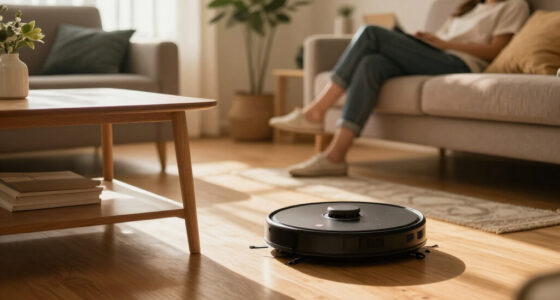
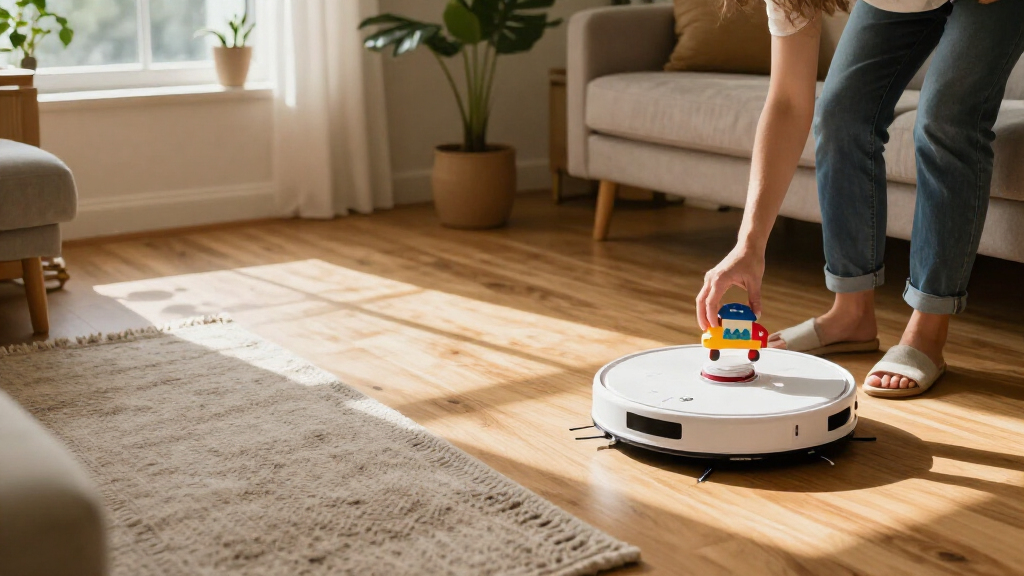
Robotic vacuum cleaners are autonomous floor-cleaning devices that use sensors, software, and a motorized suction system to navigate rooms and collect dust and debris. Most work best as helpers for routine upkeep, rather than replacements for every vacuuming job. A robot might keep crumbs off your hardwood each day, while a full-size vacuum handles stairs and a thick rug.
This guide gives you key facts for choosing a model, from mapping and pet hair to mopping, privacy, and replacement costs. By the end, you can sort the useful features from the ones that may not earn their space in your home.
Treat a robot vacuum as a routine-upkeep helper; keep a full-size vacuum for stairs, upholstery, tight corners, and deeper cleaning.
Match navigation to your home: mapping helps with room selection and no-go zones, while cords and small objects can still cause problems.
Judge cleaning with independent tests on your own floor types; suction figures alone do not predict pickup.
Budget for filters, brushes, bags, mop pads, batteries, and dock care alongside the purchase price.
Check Wi-Fi dependence and data practices if the model uses an app, camera, or cloud-connected features.
What a robot vacuum can do between your deeper cleans
Robotic vacuum cleaners are autonomous floor-cleaning devices that follow routes through your home and collect everyday dust and debris with brushes and suction. Their main advantage is frequency: a short scheduled run can pick up the crumbs and dust that accumulate between your own cleaning sessions. That helps keep floors presentable, but it does not mean each pass is as thorough as a person directing a full-size vacuum. Results depend on the model, flooring, layout, upkeep, and what gets in the robot’s way.
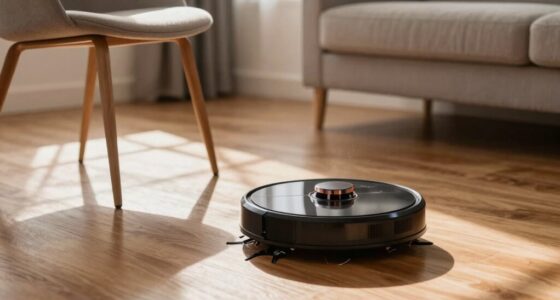
Most models combine wheels, sensors, software, and a motorized suction system. Side brushes sweep some debris from edges toward the intake, while a main brush helps loosen dirt. The intake then has to carry that debris into the bin, so a strong suction rating alone cannot tell you how well the whole system performs. A basic model may travel in a less orderly pattern; a more capable robot may map rooms and plan a route. Planned travel can improve coverage and make cleaning more repeatable, but it cannot make inaccessible areas reachable. Either way, the robot can only clean where it can safely travel.
Imagine you run one after dinner in a kitchen with hardwood floors. It may pick up rice grains and a scatter of crumbs, leaving the room tidier by morning. Set the same robot loose among chair legs, charging cables, and a deep-pile rug, and it may miss patches or get stuck. The difference is not simply cleaning power: obstacles interrupt its route, and the rug can challenge the wheels, brush, or intake. Picking up cables and checking which rugs a model can cross may matter more than choosing a higher suction figure.
The best expectation is frequent light cleaning, not a complete replacement for manual vacuuming. Regular runs can stop everyday mess from building up, much like sweeping a porch before grit gets tracked indoors. But the robot’s shape, reach, bin size, and route limit what it can do. A full-size vacuum still gives you more control on stairs, upholstery, tight corners, and deeply embedded dirt. That division of labor is useful when you want floors maintained automatically and are willing to handle the jobs the robot cannot reach.
Products Worth Considering

Dyson V8 Cordless Vacuum

Dyson V9 Motorbar Cordless Vacuum

TCL 65-Inch 4K UHD Smart LED TV (65S425)
As an affiliate, we earn on qualifying purchases.
Choose navigation that fits your floor plan and clutter
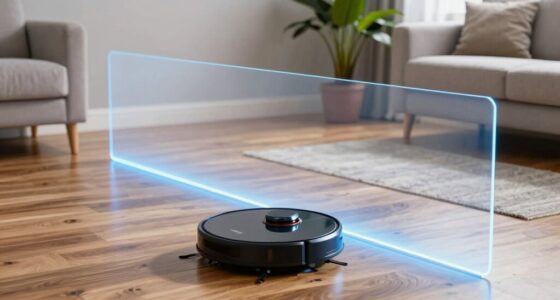
Robotic vacuum cleaners clean more predictably when their navigation suits your layout: basic sensors can handle open, uncomplicated spaces, while mapped routes help with multiple rooms and repeatable coverage. Mapping may let you choose a room, schedule a run, or set a no-go zone in an app. Those controls are most valuable when the same home has several distinct cleaning needs—for example, a kitchen that needs daily runs and a room where pet bowls should be avoided. In a single open room, the extra controls may add little beyond what a simpler robot already does.
Some models map with cameras, laser sensors such as LiDAR, or other sensors. A map gives the robot a picture of the space it has explored, which can help it travel in planned lines instead of bumping around randomly. More orderly routes can make coverage easier to repeat, but the map is only one part of navigation. It does not guarantee that the robot recognizes a sock, charger, or toy as an obstacle; small items can still defeat a model that handles large furniture well. That makes obstacle avoidance a separate feature to evaluate, especially if items often get left on your floors.
Picture a living room with a low coffee table, a dog bed, and a phone cord that snakes toward the sofa. A mapped robot might clean around the table and let you mark the bed as off limits, so the app can help define where cleaning should happen. But if it cannot reliably detect the cord, the cord still needs to be picked up before a run. Cliff sensors help detect stairs or other drop-offs, but they do not replace checking the robot’s guidance and placement instructions, especially around unusual ledges.
Think about your real rooms before paying extra for more sensors. With an open floor plan, predictable furniture, and little clutter, a simpler robot may cover the useful area without many controls. A home with separate rooms, delicate decor, and changing zones can benefit more from mapping and room selection because you can direct a run without moving the robot by hand. If you have cords or toys on the floor, no-go zones can protect chosen areas, but they will not pick up the objects for you. The best navigation system reduces the specific interruptions your household has; it does not remove the need to prepare the floor.
Match cleaning performance to your floors and pets
Robotic vacuum cleaners usually handle hard floors and routine surface dust better than thick carpet or deeply embedded dirt. A suction figure by itself does not tell you how clean your rooms will look because it describes only one part of the cleaning system. Brush design, airflow, flooring, debris type, and edge reach all shape the result: brushes loosen debris, airflow carries it into the bin, and the floor determines how firmly it is held in place. Compare independent tests on the surfaces you actually own to see how those parts work together.
On tile or hardwood, a robot may gather flour dust, crumbs, and pet hair during regular runs because debris sits on the surface and is comparatively easy to reach. On thick carpet, fibers can hold dirt below the surface, making it harder for the brush and intake to lift. A robot may therefore leave more behind even if its advertised suction sounds impressive. If your home has a mix of surfaces, check whether the model adjusts suction or changes behavior when it reaches a rug. Then look for hands-on results with a similar pile height: strong performance on bare floors does not establish that it will clean your rugs equally well.
Pet hair brings another tradeoff. Some models advertise hair-resistant brushes or features aimed at pets, but these can reduce tangles rather than eliminate them. Hair can still wrap around the brush and build up in the bin or filter, which affects both cleaning and how often you need to intervene. For a shedding golden retriever, frequent runs may stop tumbleweeds forming in the hallway, but that convenience shifts some work to regular brush checks. If you would rather spend less time clearing tangles, inspect how the brush is removed and cleaned before buying.
Use this simple shopping order: name your main floor type, decide which mess matters most, then look for independent cleaning results that match both. The match matters because a test on hard flooring answers a different question from a test on carpet or long pet hair. A high headline number is less helpful than evidence that a model picks up cereal from your kitchen or hair from your low-pile rug. Your flooring is the test surface; the product page is only the promise.
- List each floor type and rug height in the rooms you want cleaned. This shows where one model may face very different jobs.
- Pick your common mess, such as pet hair, crumbs, or fine dust. The type and amount of debris affect how often you will need to clean the brush and bin.
- Compare independent tests and reviews on similar flooring. Results on a surface like yours are more useful than a general score.
- Check brush cleaning and replacement-part availability before buying. If parts are difficult to find or awkward to maintain, the robot may be less useful over time.
Know what a mop attachment will—and won’t—clean
A vacuum-and-mop robot can help with light floor maintenance, but its water-based mop is generally not a substitute for scrubbing stubborn stains. Some hybrid machines drag a damp pad across the floor; others use features such as vibrating or rotating pads. The mechanism changes how the robot contacts the floor, but it does not guarantee that it can apply the pressure or attention a person uses on dried-on grime. Higher-end docks may wash and dry the pads, which can reduce hands-on care between runs, but those features add cost, space needs, and more components to maintain.
Imagine dried juice beneath a child’s chair. A maintenance pass may freshen the floor when the spill is new and the surface is suitable, but an old sticky patch often needs a person, a cloth, and some elbow grease. This distinction matters if you are buying a hybrid to avoid all mopping: it may take care of light, repeated wiping while leaving occasional difficult messes for you. Do not assume every model can safely handle spills or every floor finish; check the maker’s instructions for approved surfaces, water use, and cleaning solution.
The more automated dock can reduce chores by handling some routine tasks. A basic dock recharges the robot; a self-emptying version transfers dust into a larger bag, reducing how often you empty the small onboard bin. Some advanced docks also wash or dry mop pads and refill water. Each added task may save a stop at the sink, yet it shifts work into dock upkeep: bags still need replacing, reservoirs need cleaning, and pads need checking. The dock also takes up floor space, so the time saved may come with a practical storage tradeoff.
Decide what you want to avoid doing. If your main goal is picking up daily crumbs, a vacuum-only model may be simpler because it has fewer water-related chores and less need to check pads or reservoirs. If your kitchen and hallway need frequent light wiping, a hybrid may earn its place, provided you accept that sticky or dried stains may still need manual attention. Compare the chores moved to the dock with the chores it adds, especially if you have limited storage or dislike maintaining appliances. The useful question is not how many jobs the dock can automate, but whether those jobs replace chores you actually do often.
Count the time, upkeep, and privacy costs before buying
A robot vacuum’s real cost includes more than its purchase price: dust bags, filters, brushes, mop pads, batteries, and cleaning solution may all need replacement. A self-emptying dock can stretch the time between bin emptying, but it still needs bag changes and routine cleaning. Those recurring expenses matter because a feature that saves a few minutes per run can become less attractive if its consumables are costly or hard to find. Before you buy, check replacement-part availability and the manufacturer’s maintenance guidance, so you know both the likely chores and where to get the parts.
Household habits change how often you need to intervene. In a quiet home without pets, a standard dustbin may last through more than one run; in a busy home with a shedding cat, you may need to empty it after every session. Hair can coil around the brush like thread around a sewing needle, while a dirty filter can reduce performance. A quick weekly brush check can catch tangles before they restrict the brush or turn a small task into a frustrating repair. The bin and brush are therefore not minor details: their capacity and accessibility affect how often the robot needs your help.
Battery coverage also depends on the job. High suction settings, carpet, room layout, and battery capacity affect how long a robot runs and how much floor it covers per charge. Some models return to charge and resume cleaning; not all do. In a large home, this feature can determine whether one scheduled session finishes the intended area or leaves you to run it again. In a studio apartment, where a run may finish on one charge, battery capacity and resume behavior may have little practical value. Compare them against your home’s size and floors rather than treating a longer runtime as automatically better.
Apps may offer maps, schedules, room selection, and cleaning history, while camera-equipped or cloud-connected models raise questions about what data they collect, where it is stored, and how it is protected. Check offline functions and privacy details if you do not want an app-dependent appliance. Basic cleaning may work without internet on some models, but remote controls, mapping, and updates may rely on Wi-Fi. The tradeoff is convenience versus dependence: app controls can help direct a robot around your schedule, but you should understand which features stop working if you disconnect it and what information the connected features use.
Use this home-by-home checklist to pick a useful model
The right robotic vacuum is the one that fits your floors, pets, layout, and appetite for maintenance. Start with the mess you want gone most often, then choose the smallest set of features that solves that problem. This helps you avoid paying for an elaborate dock or sensors that do not improve the jobs you need done. It also makes comparisons clearer: instead of asking which model has the most features, ask which feature removes a recurring hassle in your home.
For example, a renter in a small flat with laminate floors and few rugs may value a quiet schedule and a compact charging dock. Mapping might add little if the robot has one open area to clean. A family with a dog and several rooms may get more from mapping, room selection, a larger dust capacity, and a brush that is easier to clean. Those features address different costs: mapping can reduce repeated setup, while bin capacity and brush access affect how often someone has to maintain the robot. A person who dislikes apps might prefer checking whether the buttons on the robot can start a basic run without Wi-Fi.
Before buying, ask how the robot will fit into a normal Tuesday. Do you leave shoes and bags in the hallway? Is the dock near a power outlet with room to park? Will you remember to empty the bin or wash a mop pad? These details show whether the advertised convenience will survive ordinary routines. A robot can save time only if the floor is accessible, the dock has a sensible home, and its care tasks feel manageable rather than becoming another chore you avoid.
Look for independent tests, current specifications, warranty coverage, and service support. Models and software change quickly, so verify today’s price and features instead of relying on an old ranking. Testing helps confirm performance on your flooring; warranty and service details matter if parts fail or the battery wears down. Think of the robot as a quiet helper with a route through your home: the better that route and its upkeep fit your life, the more likely you are to use it.
- Floor type and rug height match the model’s tested performance.
- Navigation suits your rooms, and you can manage cords and small clutter.
- Brushes, filters, bags, and batteries are available at a sensible cost.
- The dock fits your space and its maintenance fits your routine.
- App, Wi-Fi, and privacy features match your comfort level.
Frequently Asked Questions
Are robot vacuums worth it?
They can be worth it if frequent light cleaning saves you time, especially in an open home or one with pets. They usually complement a regular vacuum, which remains handy for stairs, upholstery, and deep cleaning.
Can a robot vacuum clean carpet?
Many models handle low-pile carpet, but results on thick or high-pile rugs vary. Check independent tests for the specific model and a similar carpet type before you buy.
Do robot vacuums work well with pet hair?
Some models have brush designs aimed at pet hair, and frequent runs can help keep loose hair under control. Hair can still wrap around brushes or collect in the bin and filter, so plan on regular checks.
Do robot vacuums need Wi-Fi?
Some models can start a basic cleaning run without internet, while app controls, mapping, remote scheduling, and software updates may depend on Wi-Fi. Check the model’s offline features if you prefer not to connect it.
Can a vacuum-and-mop robot replace mopping by hand?
It can help with light, regular floor maintenance, but its mop function generally does not scrub away stubborn stains. Check the maker’s surface and spill guidance, and keep a cloth handy for sticky messes.
Conclusion
Choose a robot vacuum around the mess you face most days: pet hair on a rug, crumbs under the table, or dust along a hallway. Check real tests on your floors, then count the upkeep and replacement parts before you buy.
When the match is right, the robot becomes a quiet extra pair of hands, tracing its route while you get on with your morning.