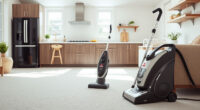
If your Dyson V15 Detect™ Origin Cordless Vacuum is losing power quickly or the battery is not lasting as long as it used to, you’re not alone. Over time, batteries can degrade, but other issues may also cause rapid battery drain. This guide provides practical, step-by-step solutions to identify causes and fix the problem safely, helping you restore your vacuum’s optimal performance.

Get cleaning gear delivered free — and shop member deals
- Fast, free delivery on millions of items
- Access to Prime Big Deal Days deals on October 6–7
- Prime Video, Amazon Music and more included
Before proceeding, ensure you have a replacement filter or attachments if needed, and handle your vacuum carefully to avoid damage.
Key Takeaways
| Battery degradation | Over time, the battery’s capacity diminishes, leading to shorter run times. |
| Clogged filters | Dirty or clogged filters can cause the vacuum to work harder, draining the battery faster. |
| Obstructed airflow | Blocked hoses or cleaner heads reduce efficiency and increase battery use. |
| Battery calibration | Re-calibrating the battery can sometimes restore accurate run time. |
Check and Replace the Battery if Needed
- Turn off and unplug the vacuum to ensure safety.
- Remove the battery from the vacuum according to the user manual.
- Inspect the battery for any visible damage or swelling.
- If the battery is old or damaged, consider replacing it with a compatible replacement to restore runtime.
- Reinstall the new or recharged battery, ensuring it clicks securely into place.
Clean or Replace the Filters
- Remove the pre-filter and main filter following the instructions in your manual.
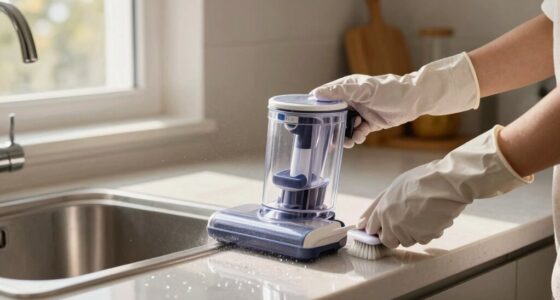
- Wash the filters with water and let them air dry completely—do not use heat or detergents.
- If filters are worn or damaged, replace them with compatible replacements like the 3Pack Pre Filters or V10 Filters.
- Reinstall the clean filters properly to maintain airflow and efficiency.
Clear Any Obstructions
Check the cleaner head, wand, and hose for blockages. Remove any debris or tangled hair that could restrict airflow. A clear airflow path reduces strain on the motor and conserves battery life.
Perform a Battery Calibration
Charge the vacuum fully until the LCD shows 100%. Then, use the vacuum until it completely drains and powers off. Recharge fully again. This process recalibrates the battery indicator and can sometimes improve runtime accuracy.
Additional Tips and Warnings
- Never use a damaged or swollen battery—dispose of it safely according to local regulations.
- Avoid frequent full discharges; partial charges can prolong battery health.
- Keep filters clean and replaced regularly for optimal performance.
- Use only compatible replacement parts to prevent damage.
The Products in This Guide

Dyson V15 Detect™ Origin Cordless Vacuum
- ✔ Weight: 6.8 lbs
- ✔ Run Time: Up to 60 minutes
- ✔ Filter Type: Washable HEPA

LANMU Crevice Tool Vacuum Attachments Compatible
- ✔ Length: 12 inches
- ✔ Material: Plastic
- ✔ Compatibility: V15, V12, V11
Dyson V15 Detect™ Origin Cordless Vacuum
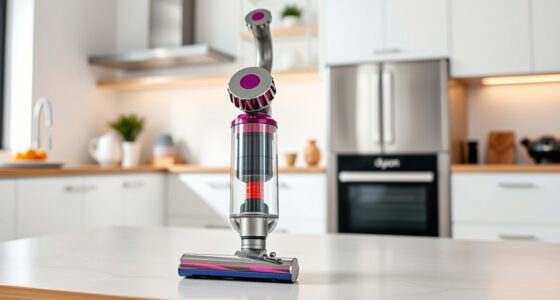
The Dyson V15 Detect™ Origin offers impressive suction and intelligent features, but like all cordless vacuums, its battery may weaken with use. Regular maintenance and timely replacements can keep it performing at its best.
Pros:
- Powerful suction
- Intelligent debris detection
- Long battery life
- LCD screen for real-time info
Cons:
- Battery aging over time
- Filters need regular cleaning
- Can be costly to replace parts
Best for: Deep cleaning large homes or pet hair removal
Not ideal for: Short-term use without maintenance or replacement parts
Bottom line: Regular maintenance extends your Dyson V15’s battery life and cleaning power.
LANMU Crevice Tool Vacuum Attachments Compatible
The LANMU Crevice Tool Vacuum Attachments are compatible with various Dyson models, including the V15. They simplify cleaning tight spots, making maintenance easier and more effective.
Pros:
- Narrow nozzle for tight spaces
- Flexible and easy to handle
- Compatible with many Dyson models
- Helps reach difficult areas
Cons:
- Requires additional purchase
- May not fit all Dyson models perfectly
- Plastic build may feel less durable
Best for: Cleaning corners, edges, and small gaps
Not ideal for: Heavy-duty cleaning or large debris removal
Bottom line: A handy attachment that makes cleaning tight spaces easier.
Frequently Asked Questions
Why is my Dyson battery draining so fast?
Battery degradation over time, clogged filters, airflow obstructions, or not fully charging can cause faster drain. Regular maintenance helps prolong battery life.
How often should I replace the filters?
Replace or clean filters every 2-3 months, especially if you notice reduced suction or longer charging times.
Can I extend my Dyson’s battery life?
Yes, by regularly cleaning filters, avoiding full discharges, and calibrating the battery after full charges.
What safety precautions should I take when replacing parts?
Always turn off and unplug the vacuum before replacing batteries or filters. Handle batteries carefully to avoid puncture or damage.
Keep Your Dyson V15 Detect™ Performing at Its Best
Addressing quick battery drain involves proper maintenance, timely replacements, and understanding your vacuum’s needs. Regularly cleaning filters, replacing worn batteries, and clearing obstructions can significantly extend your vacuum’s lifespan and ensure optimal cleaning performance. Staying proactive with these steps will help you enjoy the full benefits of your Dyson V15 Detect™ Origin Cordless Vacuum for years to come.
Affiliate disclosure: As an Amazon Associate we earn from qualifying purchases. Prices and availability are accurate as of the time of publishing.
Fall Picks
fall essentials
As an affiliate, we earn on qualifying purchases.