If your Dyson V15 Detect™ Origin cordless vacuum isn’t holding a charge or the battery dies faster than it should, it can be frustrating. Fortunately, most issues are fixable with some simple troubleshooting steps. This guide will walk you through safe and effective methods to restore your vacuum’s battery life and ensure optimal performance.

Get cleaning gear delivered free with Prime
- Fast, free delivery on millions of items
- Prime Video, Amazon Music and more included
- Member-only deals all year
Before starting, make sure you have the necessary tools and replacement parts, such as filters and attachments, if needed. Proper maintenance is key to prolonging your vacuum’s battery life and overall efficiency.
Key Takeaways
| Battery issues are often caused by worn-out filters or dirt buildup | Cleaning or replacing filters can improve battery performance. |
| Proper maintenance extends battery life | Regularly check and clean filters and brushes. |
| Battery replacement may be necessary if it’s old or defective | Consider replacing the battery if cleaning doesn’t solve the problem. |
| Using genuine parts ensures optimal operation | Always opt for compatible filters and attachments. |
Step 1: Check and Clean the Filters
- Remove the pre-filters from your Dyson vacuum according to the user manual.
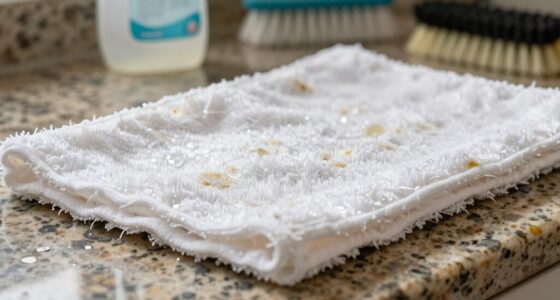
- Rinse the filters thoroughly with water, ensuring all dust and debris are washed away.
- Allow the filters to air dry completely, ideally for 24 hours, before reinstalling.
- Replace filters if they are excessively worn or damaged.
Step 2: Inspect and Clean the Brush Bar and Attachments
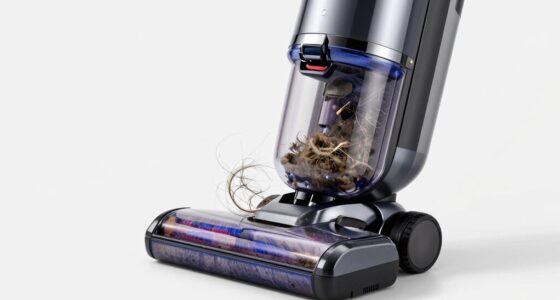
- Remove the Digital Motorbar and other attachments and clear any hair, dust, or debris tangled around the brush.
- Use a cleaning brush or scissors carefully to cut away any entangled hair.
- Ensure all parts are dry and reassemble.
Step 3: Check Battery Health and Connection
Ensure the battery is properly seated and connections are secure. If the battery appears swollen, damaged, or is more than 2-3 years old, consider replacing it with a compatible replacement.
Step 4: Replace Worn or Faulty Filters
If cleaning doesn’t restore suction or runtime, replace your filters with a 3-pack of compatible replacement filters. Regular replacement (every 2-3 months) maintains optimal airflow and battery efficiency.
Step 5: Test the Vacuum
After cleaning and replacing parts, fully charge the vacuum. Use it to see if the battery now lasts longer and the cleaning performance has improved.
The Products in This Guide

Dyson V15 Detect™ Origin Cordless Vacuum
- ✔ Run time: 60 mins
- ✔ Weight: 6.8 lbs
- ✔ Filter type: HEPA

LANMU Crevice Tool Vacuum Attachments Compatible
- ✔ Compatibility: Multiple Dyson models
- ✔ Material: Durable plastic
- ✔ Weight: 0.3 lbs
Dyson V15 Detect™ Origin Cordless Vacuum
The Dyson V15 Detect™ Origin offers exceptional deep cleaning performance, but maintaining its battery life is essential for ongoing efficiency. Regular filter cleaning and timely replacements can significantly extend your vacuum’s runtime.
Pros:
- Powerful suction
- Intelligent debris detection
- Long battery life
- Includes advanced attachments
Cons:
- Battery may degrade over time
- Filters require regular maintenance
- Can be heavy for some users
Best for: Whole-home cleaning, pet hair removal, hard-to-reach spots
Not ideal for: Heavy lifting for extended cleaning sessions, battery replacement for very old units
Bottom line: Regular maintenance and timely replacements keep your Dyson V15 performing at its best.
LANMU Crevice Tool Vacuum Attachments Compatible
The LANMU Crevice Tool Vacuum Attachments are compatible with Dyson models and ideal for reaching tight spots, making your cleaning more thorough and efficient.
Pros:
- Narrow nozzle for tight spaces
- Compatible with many Dyson models
- Flexible and slim design
- Easy to install
Cons:
- Extra attachments required
- May not fit older models perfectly
- Requires regular cleaning
Best for: Cleaning corners, car interiors, and tight gaps
Not ideal for: Heavy-duty cleaning of large areas
Bottom line: A versatile addition that helps you clean hard-to-reach spots effortlessly.
Frequently Asked Questions
Why does my Dyson battery die quickly even after a full charge?
This can be caused by clogged filters, tangled brushes, or an aging battery. Regular maintenance and replacing worn parts can help prolong battery life.
How often should I replace the filters?
It’s recommended to replace or clean filters every 2-3 months, depending on usage, to maintain optimal airflow and battery performance.
Can I replace the Dyson battery myself?
Yes, if it’s removable and you’re comfortable with basic tools. Otherwise, seek professional assistance or contact Dyson support for battery replacement.
What should I do if my vacuum still doesn’t hold a charge after cleaning?
Consider replacing the battery or contacting Dyson support for further diagnosis, especially if the vacuum is old or the battery shows signs of damage.
Keep Your Dyson Running Like New
With proper maintenance and timely replacements, you can significantly extend the lifespan of your Dyson cordless vacuum’s battery. Regularly cleaning filters, inspecting the brush bar, and replacing worn parts will ensure your vacuum continues delivering powerful, efficient cleaning for years to come.
Remember, a well-maintained vacuum not only performs better but also saves you money in the long run.
Affiliate disclosure: As an Amazon Associate we earn from qualifying purchases. Prices and availability are accurate as of the time of publishing.
Halloween Picks
halloween
As an affiliate, we earn on qualifying purchases.