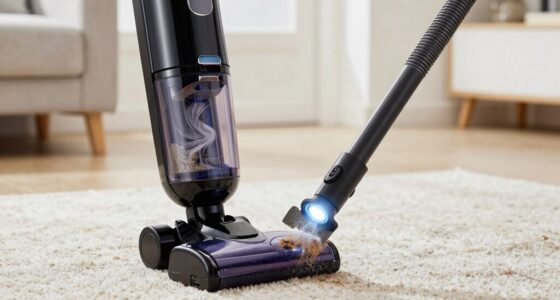
If your Dyson V15 Detect™ Origin Cordless Vacuum keeps pulsing on and off, it can be frustrating and disrupt your cleaning. This issue is often caused by blockages, dirty filters, or battery-related problems. Fortunately, most fixes are straightforward and safe to perform at home with basic tools.
Follow these step-by-step instructions to diagnose and resolve the pulsing issue, helping your vacuum restore optimal performance.
Key Takeaways
| Check for Blockages | Clear clogs in the wand, brush bar, and inlet channels. |
| Inspect and Clean Filters | Dirty filters can cause overheating and pulsing; clean or replace as needed. |
| Examine Battery and Connections | Loose or faulty batteries can lead to power fluctuations. |
| Reset the Vacuum | Perform a reset to clear error codes and restore normal function. |

Dyson V15 Detect™ Origin Cordless Vacuum
Powerful and intelligent for whole-home deep cleaning. Reveals invisible dust.
As an affiliate, we earn on qualifying purchases.
Step 1: Power Off and Unplug
Before starting any troubleshooting, turn off your Dyson vacuum and remove the battery if possible. Ensure the vacuum is completely powered down to prevent electric shock or damage during inspection.

LANMU Crevice Tool Vacuum Attachments Compatible with Dyson V15 V12 V11 V10 V9 V8 V7 Gen5 Outsize Vacuum Cleaner, Narrow Nozzel Replacement Parts for Hard-to-Reach Space
Wide Compatibility: This crevice tool attachment is compatible with V15 V12 V11 V10 V9 V8 V7 Gen5 G5...
As an affiliate, we earn on qualifying purchases.
Step 2: Check for Blockages
- Detach the wand and cleaner head from the main body.
- Inspect the inlet channels, wand, and cleaner head for obstructions or debris.
- Remove any visible blockages carefully.
- Use a long, flexible brush or a straightened wire to dislodge stubborn debris.
Step 3: Clean or Replace Filters
- Remove the pre-filters and main filters from the vacuum.
- Rinse the filters under cold water until the water runs clear.
- Allow filters to air dry completely (at least 24 hours) before reinstalling.
- If filters are damaged or excessively worn, replace them with compatible replacements like the 3Pack Pre Filters or V10 Filters.
Step 4: Check Battery and Connections
Ensure the battery is securely connected and seated properly. Look for any signs of damage or corrosion on the terminals. If your vacuum has a removable battery, try reinstalling or replacing it if necessary.
Step 5: Reset the Vacuum
Press and hold the power trigger for about 10 seconds to discharge residual power. Then, reassemble the vacuum, turn it on, and see if the pulsing persists. If it does, perform a full reset by disconnecting the battery (if removable) and waiting a few minutes before reconnecting.
The Products in This Guide
Dyson V15 Detect™ Origin Cordless Vacuum

The Dyson V15 Detect™ Origin offers powerful suction, intelligent debris detection, and a long 60-minute runtime. Its LCD screen provides real-time updates, making it a top choice for thorough home cleaning. Regular maintenance and troubleshooting can keep it functioning smoothly.
Pros:
- Powerful suction
- Intelligent dust detection
- Long battery life
- Versatile cleaning modes
Cons:
- Can be heavy for some users
- Filter cleaning required regularly
- Price may be high for some
Best for: Deep cleaning homes with pets and hard-to-reach areas
Not ideal for: Light cleaning or quick tidying without full maintenance
Bottom line: A powerful, intelligent vacuum ideal for deep cleaning, requiring regular maintenance.
LANMU Crevice Tool Vacuum Attachments Compatible

The LANMU Crevice Tool Attachments are compatible with various Dyson models, including the V15. Its slim design allows you to reach tight corners, sofa crevices, and car interiors easily. This attachment makes detailed cleaning more effective and less time-consuming.
Pros:
- Narrow nozzle fits tight spots
- Flexible and durable
- Easy to attach
- Great for cars and furniture
Cons:
- May be too slim for larger debris
- Requires compatible Dyson model
- Not for heavy-duty cleaning
Best for: Cleaning corners, upholstery, and tight spaces
Not ideal for: Heavy debris removal or large surface cleaning
Bottom line: A versatile tool to enhance cleaning in tight, hard-to-reach areas.
Frequently Asked Questions
Why does my Dyson vacuum pulse or shut off unexpectedly?
This usually indicates a blockage, dirty filter, or overheating. Checking for obstructions and cleaning filters can often resolve the issue.
Can I reset my Dyson vacuum to fix pulsing?
Yes, perform a reset by disconnecting the battery (if removable), holding the power trigger for 10 seconds, then reconnecting and turning it on again.
How often should I clean or replace filters?
Filters should be rinsed and dried every 1-3 months, depending on usage, and replaced if damaged or excessively worn.
Is it safe to clean internal parts myself?
Yes, as long as you disconnect the vacuum from power, avoid water contact with electrical components, and follow the manufacturer’s cleaning instructions.
Keep Your Dyson Running Smoothly
Regular maintenance and troubleshooting can extend the life of your Dyson V15 Detect™ and prevent pulsing issues. Always follow safety precautions when inspecting or cleaning internal parts. If problems persist after troubleshooting, consider consulting Dyson customer support or a professional repair service.
Affiliate disclosure: As an Amazon Associate we earn from qualifying purchases. Prices and availability are accurate as of the time of publishing.