
If your brush roll isn’t spinning, start by checking for debris or tangles blocking the brush, then make sure the vacuum is set to the correct power mode. Inspect the drive belt for cracks or slips and ensure it’s properly aligned and seated. Look over the brush for damage or wear, and confirm it’s securely connected. Also, clear any dust or obstructions from filters and airflow pathways. Continue with these tips to identify the cause and learn more about fixing your vacuum.

Get cleaning gear delivered free — and shop member deals
- Fast, free delivery on millions of items
- Access to Prime Big Deal Days deals on October 6–7
- Prime Video, Amazon Music and more included
Key Takeaways
- Check for debris or obstructions in the brush roll and clear any tangled hair or objects.
- Inspect the drive belt for cracks, wear, or proper tension and replace if damaged.
- Ensure the brush roll is properly connected, secured, and spinning freely when the vacuum is on.
- Verify vacuum power settings, battery charge, and external conditions affecting brush operation.
- Clean filters and air pathways regularly to maintain airflow and prevent brush roll seizure.
As an affiliate, we earn on qualifying purchases.
Check for Obstructions or Debris in the Brush Roll

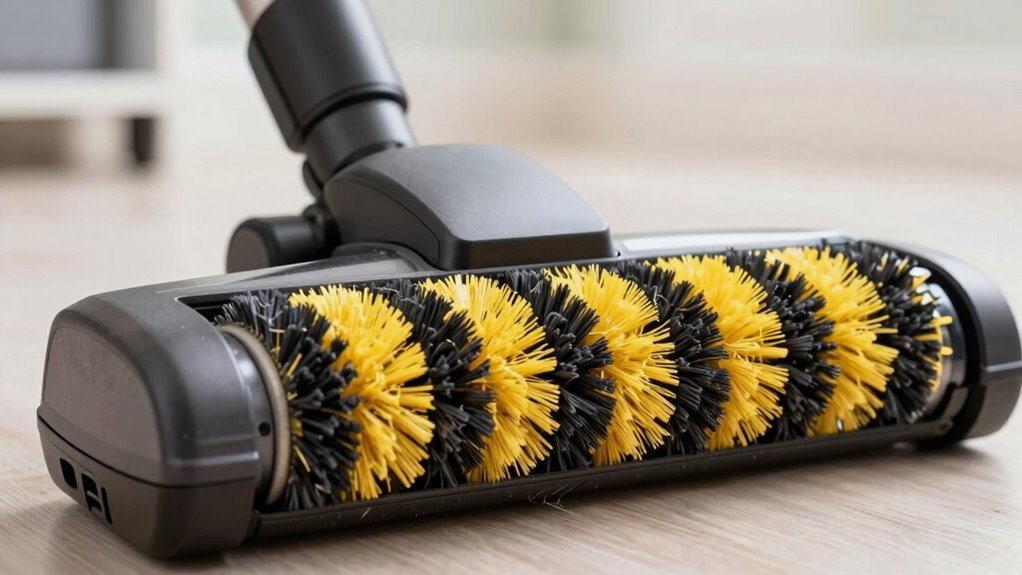
If your brush roll isn’t spinning, the first thing to do is check for obstructions or debris. Turn off your vacuum and carefully inspect the brush bar. Debris clogging the brush bar is a common cause of a non-spinning brush roll. Look for hair, string, or other debris wrapped around the brush bar that could block its rotation. Use scissors or your fingers to remove tangled hair or debris. Sometimes, small objects or dust buildup can cause the brush bar to seize. Clearing out any debris clog ensures the brush roll can spin freely. Regular maintenance prevents future issues and keeps your vacuum functioning properly. Additionally, inspecting the brush motor can help determine if it’s functioning correctly, as motor failure can also prevent spinning. If the brush motor is functioning but the roll still doesn’t spin, check the belt tension, as a loose or broken belt can also be a culprit. Proper belt alignment is essential for optimal performance and to prevent premature wear. Keeping the belt in good condition is essential for optimal performance. Regularly inspecting and cleaning the brush roll area can help identify hidden obstructions early, maintaining your vacuum’s efficiency. Once you’ve cleared obstructions, test the brush roll to see if it spins smoothly.
As an affiliate, we earn on qualifying purchases.
Make Sure the Vacuum’s Power Settings Are Correct
Sometimes, the reason your brush roll isn’t spinning is simply because the vacuum’s power settings aren’t adjusted correctly. Check the power settings to guarantee they’re on the right mode for your cleaning needs. If your vacuum is battery-powered, make sure the battery level isn’t too low, as this can reduce power output. Additionally, reviewing the device’s settings can help ensure all configurations are optimized for performance. You should verify:
Ensure your vacuum’s power settings are correct and the battery is charged for optimal brush roll performance.
- The vacuum is set to ‘max’ or the appropriate cleaning mode
- The power setting isn’t on ‘low’ or ‘eco’ mode
- The battery level isn’t critically low
- The device is fully charged if it’s cordless
- Proper maintenance, such as cleaning or replacing filters, can also impact brush roll operation
- Regularly inspecting the textile line for obstructions or debris can prevent issues with brush functionality
Ensuring the power mode is correctly set can significantly improve the brush roll’s operation and prolong the vacuum’s lifespan. Additionally, checking the motor health can help diagnose underlying issues affecting performance.
Adjusting these settings can restore proper brush roll function. Always guarantee the power mode matches your cleaning task for ideal performance.
As an affiliate, we earn on qualifying purchases.
Inspect the Drive Belt for Breaks or Slips
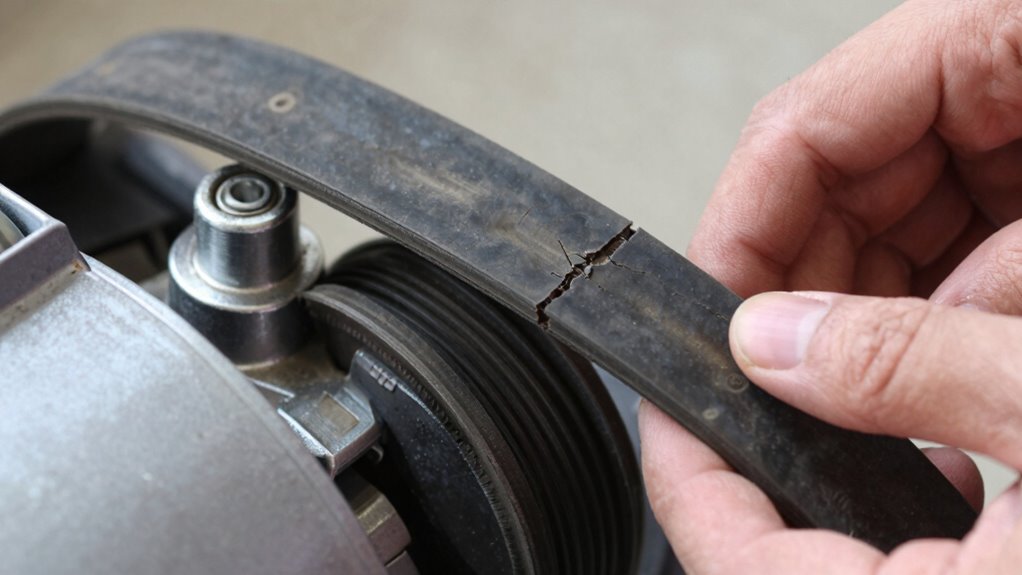
After confirming the vacuum’s power settings are correct, the next step is to check the drive belt. Remove the vacuum’s cover to access the brush roll area. Inspect the drive belt for any signs of breaks, cracks,, or wear. A broken or slipping belt won’t transfer power effectively, preventing the brush roll from spinning. Also, check the belt tension; it should be tight enough to grip the drive pulley firmly. If the belt is loose, slipping, or damaged, replace it with a new one that matches your vacuum model. Guarantee the belt is properly seated on both the drive pulley and the brush roll. Maintaining the correct belt tension is vital for maximum brush roll performance. Proper belt alignment ensures consistent contact and smooth operation. Regularly checking the belt condition can prevent unexpected breakdowns and extend the life of your vacuum. A secure, undamaged belt restores proper spinning action.
As an affiliate, we earn on qualifying purchases.
Look for Mechanical Damage or Worn Parts on the Brush Roll
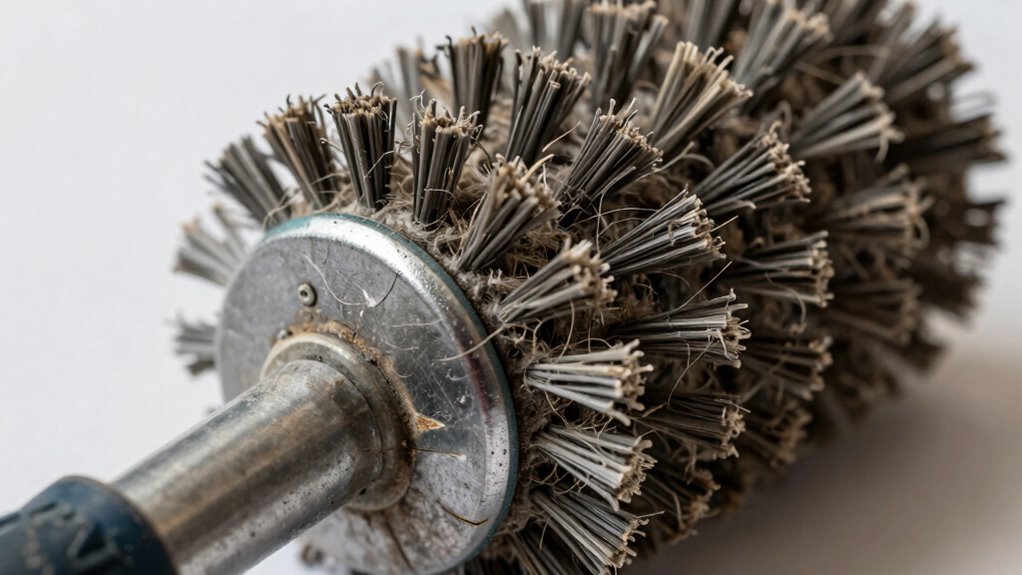
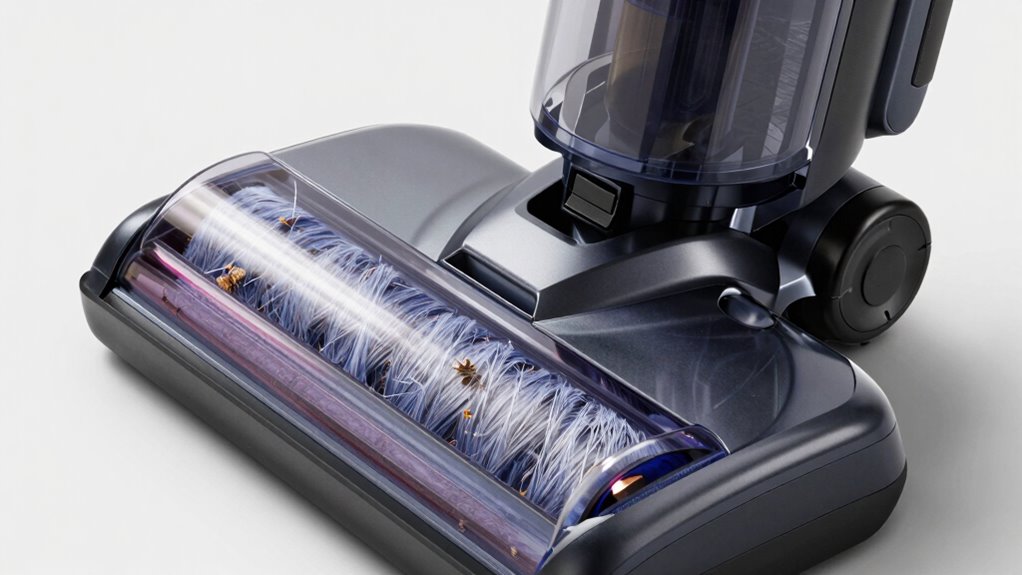
Mechanical damage or worn parts on the brush roll can prevent it from spinning properly. Inspect the brush for signs of brush damage, such as broken or missing bristles, which can hinder movement. Check for gear malfunction, like stripped or broken gears, that connect the motor to the brush roll. Look closely at the shaft for dents, cracks, or bent areas that could block rotation. Also, examine the end caps and bearings for wear or damage, as these can cause the brush to jam or stop spinning. Regularly testing luggage & bags components like the brush roll can help identify issues early and ensure smooth operation. Additionally, understanding how deep‑sky imaging techniques relate to equipment maintenance can provide insight into optimal performance.
Inspect the brush roll for damage, worn bearings, or gear issues to ensure proper spinning.
- Bent or broken brush roll
- Damaged or missing bristles
- Stripped gears or gear malfunction
- Worn or damaged bearings and end caps
Confirm the Brush Roll Is Properly Connected and Spinning
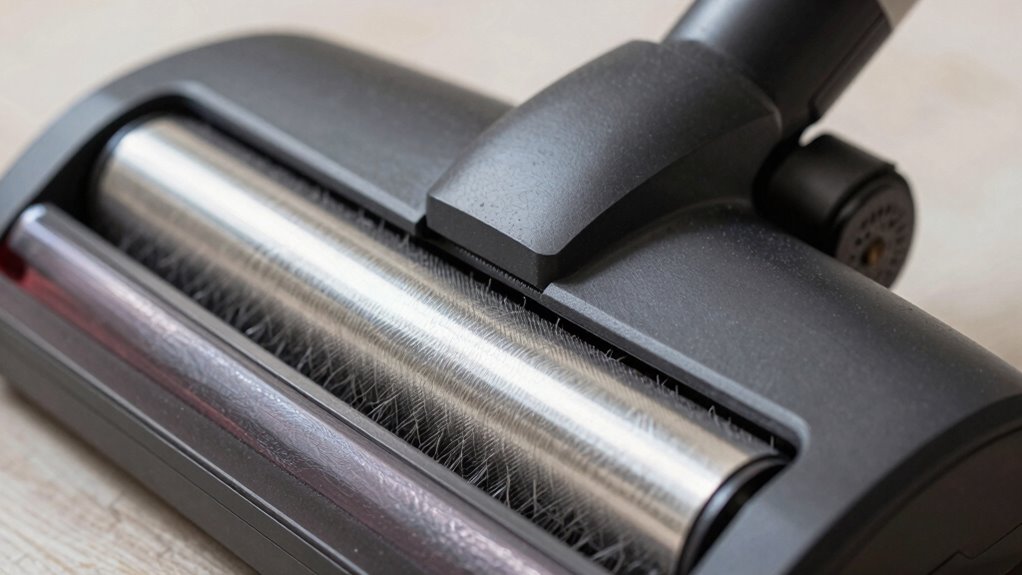
First, make certain the brush roll is securely connected to avoid any looseness. Next, inspect the drive belt for damage or slippage, as it powers the spin. A properly functioning drive system is essential for effective operation. Additionally, test the brush to see if it spins freely when the vacuum is on. For optimal performance, ensure the brush roll’s efficiency by regularly cleaning and maintaining it. Regularly inspecting and replacing the drive belt can also prevent issues with the brush roll not spinning. Moreover, understanding the drive system’s role can help identify potential failures early. Checking the navigation and mapping systems can help identify if obstructions are preventing proper operation.
Check Connection Securely
Before troubleshooting further, make sure the brush roll is securely connected to your vacuum. Check that the cord connection is firm, especially if you’re using a corded model. Inspect the battery maintenance if you have a cordless vacuum—ensure the battery is charged and properly seated. Here are quick steps:
- Confirm the brush roll clicks into place securely
- Unplug the vacuum and reconnect the power cord firmly
- Check for loose or frayed wires around the connection points
- Ensure the battery is fully charged and installed correctly
- Bollywood enthusiasts often emphasize the importance of a secure connection to keep the magic flowing smoothly
A loose connection can prevent the brush roll from spinning. Securing the cord connection and maintaining the battery can resolve simple power issues, ensuring your brush roll gets the power it needs to operate correctly.
Inspect Drive Belt
Have you checked the drive belt to make sure it’s intact and properly positioned? A worn or loose belt can prevent the brush roll from spinning. While inspecting, consider the battery lifespan if your vacuum is cordless; a weak battery can reduce belt tension and overall performance. Also, check the cord length if you’re plugged in—longer cords might cause tugging, loosening the belt connection. Ensure the belt is snug around the brush roll and drive pulley without any cracks or fraying. If the belt appears damaged, replace it promptly. Confirm that the belt is correctly aligned and seated in its tracks. Proper tension and positioning are essential for the brush roll to spin freely and efficiently. Additionally, understanding the drive system can help diagnose if other components are contributing to the issue. Regular maintenance of the belt track can help prevent slippage and ensure consistent performance. Checking the motor connection periodically can also protect against electrical issues that might stop the brush roll from spinning.
Test Brush Spin
To confirm that the brush roll is properly connected and spinning, carefully turn on your vacuum and observe the brush. Check for smooth, consistent rotation without wobbling or stopping. Make certain the brush adjustment is set correctly—some vacuums have a switch or dial for this purpose. Consider your cord length too; a short or tangled cord might limit power or movement, affecting the brush spin. To troubleshoot:
- Adjust the brush height for ideal contact
- Ensure the belt is properly seated and not slipping
- Check that the cord provides steady power
- Confirm the brush is securely connected to the motor shaft
- Consult your vacuum’s project management support to ensure all components are correctly assembled
If the brush still doesn’t spin, recheck your connections and make sure nothing is blocking the movement. Proper testing helps identify if the issue is mechanical or electrical. Additionally, inspecting the performance ratings of your vacuum can help determine if a decline in suction power might be influencing the brush operation.
Clean the Air Path and Replace Dirty Filters

A clogged air path or dirty filters can substantially hinder your vacuum’s performance, including the brush roll’s ability to spin properly. Dust buildup in the air filter blocks airflow, making the vacuum work harder and reducing suction. To fix this, remove and clean or replace the air filter regularly. Additionally, check for obstructions in the air path, such as debris or blockages, and clear them out. Doing so ensures smooth airflow, which helps the brush roll spin freely and efficiently.
| Issue | Solution | Result |
|---|---|---|
| Dust buildup in air filter | Clean or replace filter | Restores proper airflow |
| Blocked air path | Clear debris and obstructions | Improves suction and brush movement |
| Dirty filters | Regular maintenance | Keeps vacuum running efficiently |
| Clogged filters | Replace if necessary | Prevents performance issues |
Test the Vacuum on Different Surfaces to Spot External Causes
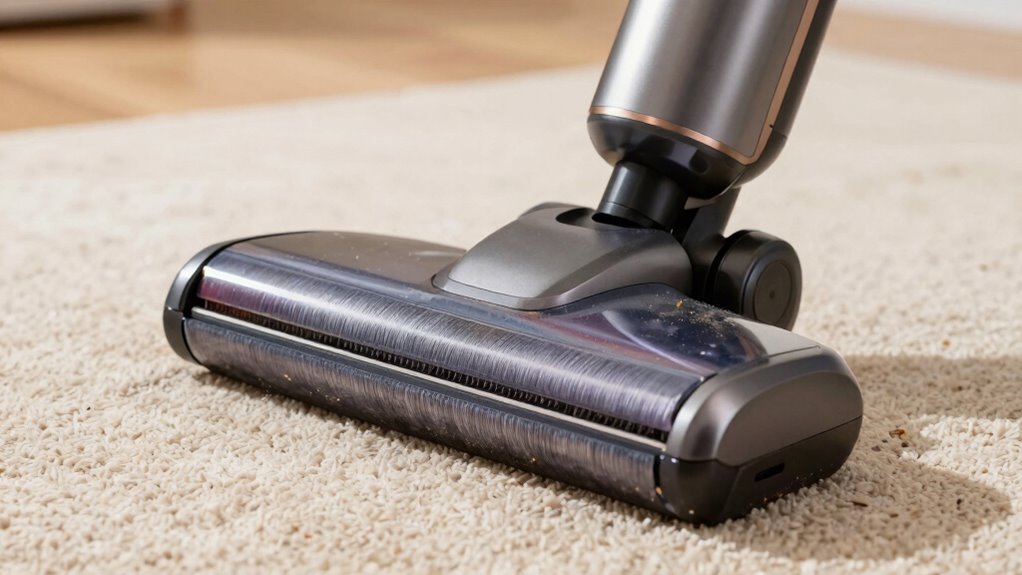
Try running your vacuum on different floor types to see if the brush roll spins properly. Make sure to adjust the suction settings for each surface and check for any obstructions that could block the brush. Identifying external factors like these helps pinpoint why the brush roll isn’t spinning.
Different Floor Types
Have you tested your vacuum on different floor surfaces to identify external issues? Different floors can affect how your brush roll spins. For hardwood maintenance, verify the brush isn’t clogged with debris or dust, which can hinder movement. On carpets, especially those needing deep cleaning, the brush might struggle if it’s too thick or plush. Check for obstructions or tangled hair around the brush roll. Also, consider the surface type—smooth floors need gentle contact, while carpets require more power. Testing across surfaces helps pinpoint external causes like buildup or improper contact. Keep in mind, regular carpet cleaning can prevent debris buildup, and gentle hardwood maintenance preserves floor quality. This simple test reveals if external factors, like surface type, cause the brush roll to stop spinning.
Adjust Suction Settings
Adjusting your suction settings is essential when testing your vacuum on different surfaces, as improper suction can prevent the brush roll from spinning correctly. If your vacuum has adjustable suction power, try increasing it on carpets and decreasing it on hard floors. Proper airflow efficiency guarantees the brush roll receives enough power to spin freely. Too high suction on hard floors may cause the brush to stall, while too low suction on carpets might reduce cleaning effectiveness. Check your vacuum’s settings and make small adjustments, then test again on each surface. This process helps identify if external factors like suction imbalance are affecting the brush roll’s movement. Optimizing suction settings ensures the brush operates smoothly across various floor types, improving overall cleaning performance.
Check for Obstructions
Obstructions can often prevent the brush roll from spinning properly, especially if debris or tangled hair is lodged around the brush or in the belt area. Check the brush assembly for blockages, as tangled hair or debris can impede movement. Also, inspect the motor wiring connected to the brush motor; damaged wiring can prevent the brush from spinning. Test your vacuum on different surfaces—hard floors, carpets, rugs—to see if external factors are causing issues. Look for these common obstructions:
- Debris tangled around the brush or belt
- Hair wrapped around the brush assembly
- Blockages in the vacuum’s intake or exhaust ports
- Damaged or loose motor wiring connections
Clearing obstructions and ensuring wiring connections are intact can restore proper brush roll function and eliminate external causes for spinning failure.
Know When to Call a Professional or Consider Replacement
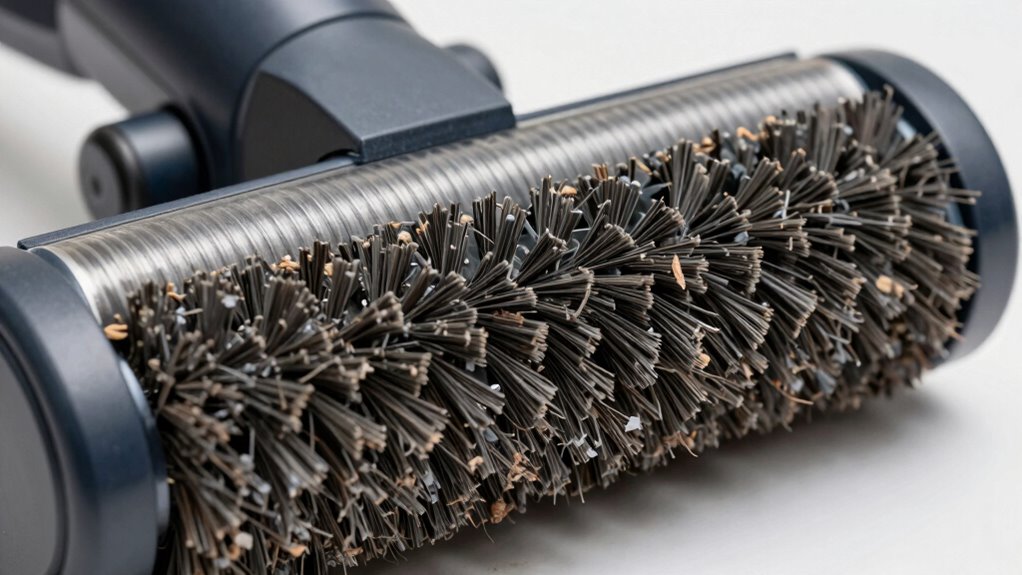
When your vacuum’s brush roll refuses to spin despite troubleshooting, it’s often time to call in a professional repair or explore replacement options. If basic fixes don’t work, attempting further repairs may lead to more damage or void your warranty. A professional repair technician can diagnose complex motor or belt issues efficiently, saving you time and money in the long run. If your vacuum is older or cost of repairs approaches or exceeds its value, replacing the unit might be more economical. Consider factors like age, overall condition, and performance decline before deciding. Knowing when to seek expert help or opt for a new vacuum ensures you get a reliable, effective cleaning tool without unnecessary frustration or expense.
Frequently Asked Questions
How Do I Reset the Vacuum After Clearing a Jam?
After clearing a jam, you should reset your vacuum by unplugging it first. Check for any remaining debris or obstructions, then press the reset button if your model has one, or simply plug it back in. This process guarantees proper vacuum maintenance and helps troubleshoot tips for peak performance. Confirm the brush roll spins freely before restarting, and always follow your manufacturer’s instructions for safety and effective troubleshooting.
Can a Clogged Filter Cause the Brush Roll Not to Spin?
Yes, a clogged filter can cause the brush roll not to spin. When there’s a filter blockage or airflow restriction, the vacuum’s motor struggles to generate enough power to turn the brush roll. You should check and clean your filter regularly to prevent this issue, ensuring proper airflow and motor performance. Clearing the filter blockage restores airflow, allowing the brush roll to spin freely and work effectively.
What Tools Are Needed to Replace a Worn Drive Belt?
Replacing a worn drive belt is like giving your vacuum a new heartbeat. You’ll need basic tools like a screwdriver, pliers, and possibly a wrench, depending on your model. Gather the correct replacement parts, including the new drive belt, to guarantee proper fit. Carefully follow your vacuum’s manual to access the belt area, then use these tools to remove the old belt and install the new one securely, restoring your vacuum’s power.
How Often Should I Inspect the Brush Roll for Damage?
You should inspect your brush roll every 3 to 6 months to catch any damage early. Regular brush inspection helps prevent damage by identifying frayed bristles, tangled debris, or cracks. By doing so, you guarantee the brush functions efficiently and prolongs its lifespan. Consistent inspections allow you to address issues promptly, maintaining ideal cleaning performance and preventing costly repairs down the line.
Is It Safe to Disassemble the Motor Housing Myself?
Disassembling the motor housing is like opening Pandora’s box—potential hazards await. For DIY repairs, it’s best to prioritize safety precautions. Unless you’re experienced, avoid disassembling the motor housing yourself, as risks like electrical shock or damaging components are real. Instead, consult a professional or follow manufacturer instructions carefully. Your safety should always come first, so don’t gamble with complex repairs if you’re unsure how to proceed safely.
Conclusion
If your brush roll isn’t spinning, don’t ignore the signs. Check for obstructions, inspect the belt, and clean the air path. Confirm the vacuum’s settings are correct, and test it on different surfaces. If issues persist, consider professional help or replacement. Addressing these steps promptly keeps your vacuum running smoothly, extends its lifespan, and keeps your home clean. Stay attentive, stay proactive, and keep your vacuum working like new.
Fall Picks
fall essentials
As an affiliate, we earn on qualifying purchases.