
If your robot vacuum keeps showing a ‘main brush error,’ start by removing and thoroughly cleaning the main brush to clear dust, hair, and debris. Check that it’s properly installed and that no tangled debris is around the bearings. Wipe sensors gently with a soft cloth to guarantee they’re clean, and inspect the connection points for damage. Regular maintenance can prevent recurring issues; keep exploring for detailed steps to help resolve this problem.
Key Takeaways
- Thoroughly clean the main brush to remove dust, hair, and debris that may cause error messages.
- Ensure the main brush is properly installed and clicks securely into its housing.
- Check for tangled debris around the brush bearings and cage, and clear any obstructions.
- Wipe sensors gently with a soft cloth to keep them free of dust and grime for accurate detection.
- Inspect and remove any debris or obstructions from the brush area to promote smooth operation.
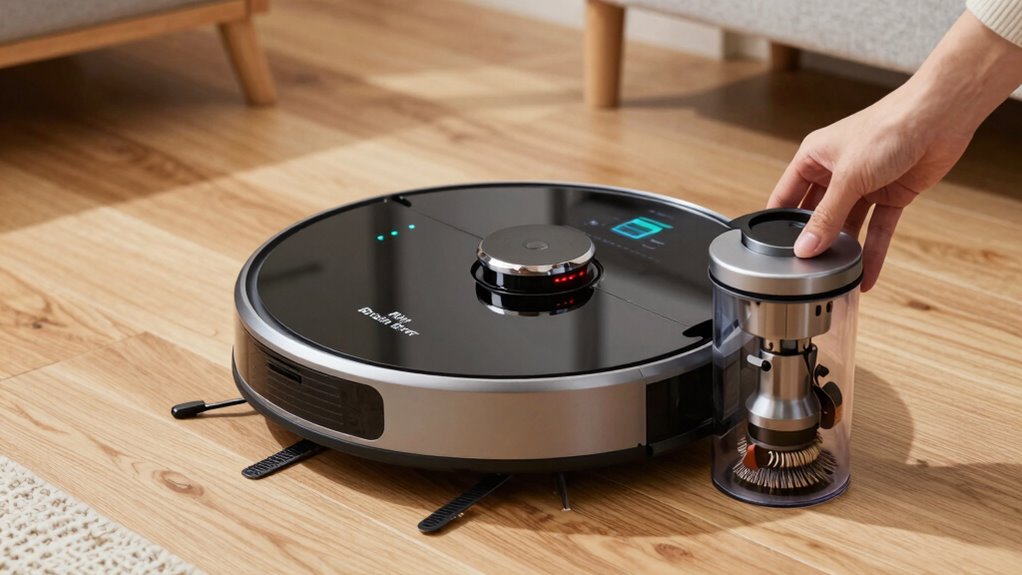
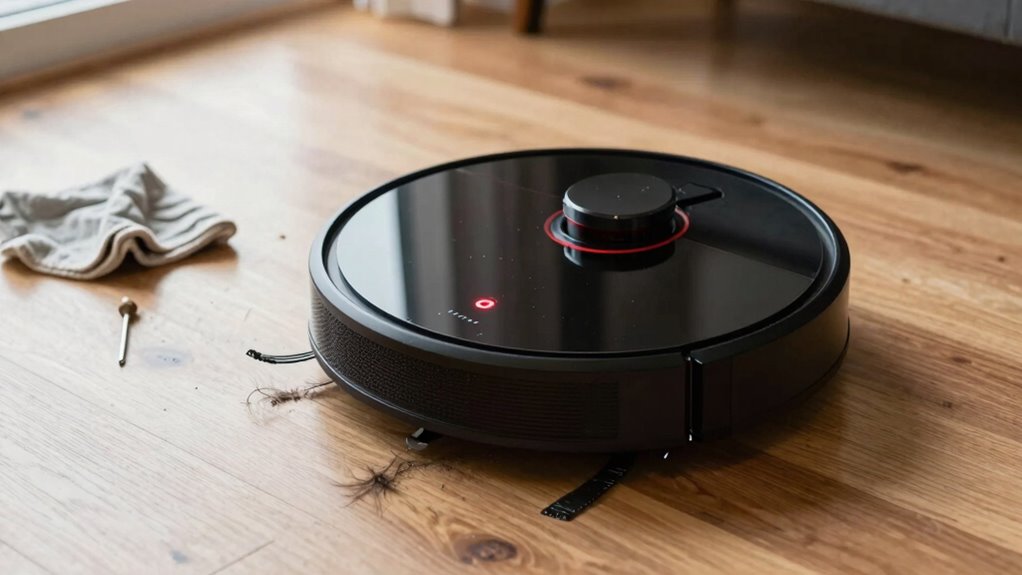
Robot vacuum errors can be frustrating, but most issues are easy to fix with some simple troubleshooting. If your device keeps saying “Main Brush Error,” it’s often related to debris buildup, sensor misalignment, or battery issues. The first step is to to make sure your main brush is clean and properly installed. Dust, hair, and debris can easily get tangled around the brush, causing the vacuum to detect a problem. Remove the brush and thoroughly clean it, making sure to clear out any obstructions. While you’re at it, check the brush bearings and brush cage for any damage or debris that might prevent smooth operation.
Ensure your main brush is clean, properly installed, and free of debris for smooth vacuum operation.
Sensor calibration plays a significant role in preventing false error messages. Your robot vacuum relies on sensors to detect obstacles and confirm the brush’s position. If these sensors are dirty or misaligned, the vacuum might think the main brush isn’t functioning properly. To address this, gently wipe the sensors with a soft, dry cloth and ensure they’re free of dust and grime. Some models might require recalibration of sensors after cleaning, so consult your user manual for specific instructions on sensor calibration. Proper calibration helps the vacuum accurately assess the brush’s status, reducing false error messages and improving overall performance.
Another common cause of the “Main Brush Error” is a low or faulty battery. When the battery isn’t holding a sufficient charge, the vacuum might not operate the brush properly or might give error messages prematurely. To troubleshoot, check the battery’s health and charge level. If the battery appears worn or isn’t holding a charge, consider replacing it. Good battery maintenance is essential for consistent operation, especially if your vacuum is older. Always use the manufacturer-recommended replacement batteries to ensure compatibility and safety. Charging your vacuum on a regular schedule also helps maintain battery health, preventing unexpected error messages related to power issues.
Finally, inspect the main brush’s connection points and housing. Sometimes, the brush might not be seated correctly or could have become dislodged during cleaning or navigation. Reinstall the brush securely, ensuring it clicks into place. If your vacuum has adjustable or removable brushes, double-check that they are aligned correctly and moving freely. Keeping these components in good condition will help your vacuum operate smoothly and prevent recurring errors. Additionally, regular maintenance checks can help identify and resolve issues before they lead to error messages.
Frequently Asked Questions
How Often Should I Replace the Main Brush?
You should replace the main brush every 6 to 12 months, depending on usage and wear. Regular brush maintenance, like cleaning and removing hair or debris, helps extend its lifespan. Keep an eye on performance; if you notice decreased cleaning efficiency or persistent error messages, it’s time for a replacement. Following your vacuum’s recommended replacement schedule guarantees peak performance and prevents issues like the ‘Main Brush Error’ from recurring.
Can I Use a Different Brand of Replacement Brush?
You can use a different brand of replacement brush if it’s compatible with your robot vacuum. Check the brand compatibility on the packaging or product details to guarantee it fits and functions correctly. Keep in mind, using cleaning alternatives from other brands might affect performance or warranty. Always verify compatibility first to avoid issues and maintain peak cleaning, even if you prefer exploring options beyond your original brand.
Does the Error Affect Cleaning Performance?
Like a silent sentinel, a main brush error can impact your robot vacuum’s cleaning prowess. Dust buildup or a motor malfunction might cause this, reducing suction and cleaning efficiency. Ignoring the error lets debris accumulate, and the motor strain worsens, hampering performance. To keep your device performing like a well-oiled machine, clean the brush and check for obstructions regularly—preventing minor issues from turning into major setbacks.
Is There a Way to Reset the Error Message?
Yes, you can reset the error message by performing a reset procedure. First, turn off your robot vacuum and remove the main brush. Clean any debris and check for obstructions. After cleaning, press and hold the reset button or power button for a few seconds. This resets the error message, allowing your vacuum to function properly again. Always consult your user manual for specific reset instructions tailored to your model.
Are There Preventative Tips to Avoid This Error?
To prevent the ‘Main Brush Error,’ you should follow regular maintenance routines like cleaning the brush and removing hair or debris after each use. Also, store your robot vacuum in a cool, dry place to avoid dust buildup that can cause errors. These simple maintenance routines and proper storage tips help keep your robot running smoothly and reduce the chances of encountering this error message.
Conclusion
Now that you know what to clean, you can confidently troubleshoot your robot vacuum’s ‘main brush error’ without frustration. Regularly checking and maintaining the brush guarantees smooth operation and extends its lifespan. Aren’t you glad you don’t have to call for repairs every time an error pops up? Keep up with routine maintenance, and your vacuum will keep cleaning effortlessly, saving you time and stress. Ready to get started and keep your device running perfectly?