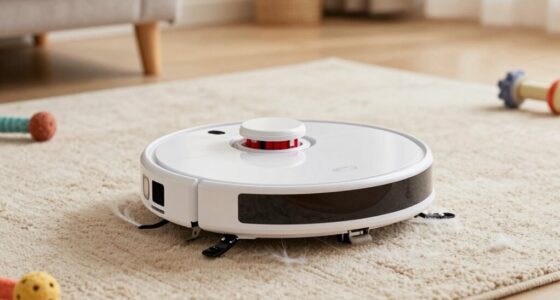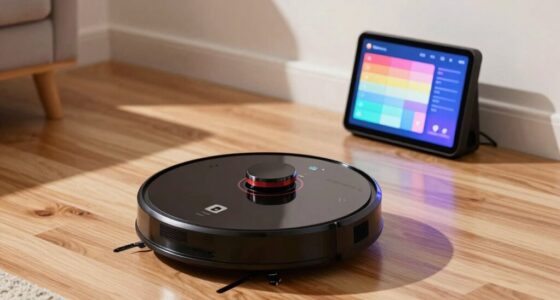
If your robot vacuum keeps missing the same spot, the cause is often simple: dirty sensors, clutter blocking its path, outdated firmware, or calibration issues. Dirt buildup or obstacles can confuse its navigation, leading to missed areas. Regularly cleaning sensors, removing clutter, and updating software can solve this problem. Ensuring your space is tidy and maintaining the device helps improve coverage—learn more tips to fix this common issue.
Key Takeaways
- Sensor miscalibration or dirt buildup can cause the vacuum to misjudge obstacles, leading to missed spots.
- Obstructions like cords or clutter block the path, preventing thorough cleaning in the same area.
- Outdated firmware or software may impair navigation, causing repeated missed spots.
- Poor map accuracy due to sensor issues results in the vacuum skipping the same area.
- Ineffective cleaning patterns or unoptimized zone setup can lead to persistent missed spots.
Why Does My Robot Vacuum Keep Missing the Same Spot?

If your robot vacuum keeps missing the same spot, it’s often due to a sensor or navigation issue. Poor robot map accuracy can cause your vacuum to misunderstand the layout, leading to missed areas. Your vacuum relies on sensors to create a precise cleaning pattern, and if these sensors are blocked or malfunctioning, the map it builds becomes inaccurate. This can also be caused by sensor calibration issues, which affect how well the sensors detect obstacles and boundaries. This results in the vacuum skipping over certain spots repeatedly. Additionally, if the cleaning pattern isn’t optimized or the vacuum’s navigation algorithm struggles with obstacles, it won’t cover the entire area effectively. Ensuring your sensors are clean and unobstructed helps improve map accuracy. Regularly updating the firmware and performing sensor calibration can further enhance navigation performance. A well-maintained navigation system makes sure your vacuum follows a thorough and consistent pattern, reducing missed spots in your cleaning routine. Recognizing that vetted brands are often more reliable can also help prevent these issues. Moreover, utilizing advanced mapping technology can significantly improve coverage consistency.
How Do Dirty Sensors Cause Your Vacuum to Miss Areas?

Have you noticed your robot vacuum missing spots even after multiple passes? Dirty sensors can be the culprit. When sensors accumulate dirt buildup, they can give inaccurate readings, causing your vacuum to misjudge its surroundings. This interference disrupts proper sensor calibration, making the robot believe obstacles or walls are present when they’re not, or vice versa. As a result, the vacuum may skip over certain areas or avoid spots altogether. Regularly cleaning the sensors with a soft, dry cloth helps maintain accurate readings. Ensuring sensors are free of dirt allows your vacuum to calibrate correctly and navigate smoothly. Proper sensor maintenance is essential for optimal navigation performance. Without clean sensors, even the most advanced robot can become confused, leading to missed spots and incomplete cleaning. Additionally, checking for sensor damage can prevent ongoing issues and ensure your vacuum functions effectively. Regular inspection of sensor alignment can also improve the device’s ability to recognize obstacles accurately. Sometimes, dirt accumulation can also cause sensor malfunction, so keeping sensors clean is vital for consistent operation. Occasionally, recalibrating the sensors can further enhance your vacuum’s cleaning efficiency and reduce missed areas.
What Obstacles or Clutter Block Your Robot Vacuum’s Path?

Obstructions and clutter in your home can easily block your robot vacuum’s path, causing it to miss areas or get stuck. Proper obstacle detection is essential for smooth navigation, but large or poorly placed items can still cause issues. Items like electrical cords, shoes, or toys can trip up your vacuum or force it to change course repeatedly. To improve performance, practice clutter management by keeping floors clear of obstacles and moving things out of the way before cleaning. Regularly checking for new clutter helps your vacuum detect obstacles accurately and avoid getting caught or missing spots. Additionally, understanding your vacuum’s sensor capabilities can help you better anticipate and prevent common blockages. Being aware of your device’s navigation system can further enhance its ability to maneuver around obstacles effectively. Incorporating traditional practices such as setting up designated cleaning zones can also optimize your vacuum’s efficiency. Establishing cleaning routines tailored to your home layout can further minimize obstacles and improve overall performance. Maintaining a tidy environment and understanding your vacuum’s obstacle detection features can significantly reduce the chances of getting stuck or missing areas, ensuring a more thorough clean every time.
Could Outdated Software Make Your Vacuum Miss Spots?
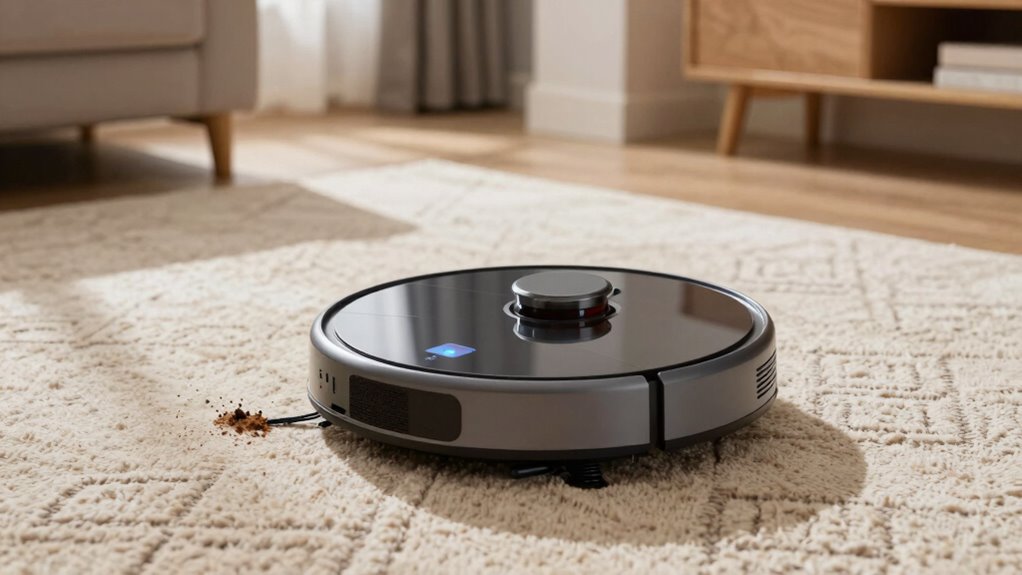
Outdated software can cause your robot vacuum to miss spots or clean inefficiently. When your device runs on old firmware, it may lack the latest features and improvements that guarantee thorough coverage. Regular software updates are vital because they fix bugs, enhance navigation, and improve firmware compatibility with your vacuum’s hardware. Without these updates, your robot might struggle to recognize certain areas or follow ideal cleaning paths. Firmware compatibility issues can also lead to misaligned sensors or navigation errors, making it prone to missing specific spots repeatedly. To prevent this, check for software updates regularly and install them promptly. Keeping your vacuum’s firmware current ensures it operates smoothly, navigates accurately, and cleans every corner effectively. Proper firmware maintenance is essential for optimal performance and to prevent repeated missed spots. Additionally, software update procedures are often straightforward and can be completed without professional assistance. Staying aware of firmware compatibility helps ensure your vacuum’s hardware and software work seamlessly together for the best cleaning results, and understanding digital safety practices can help protect your device from potential security vulnerabilities. Regularly consulting user manuals can also provide helpful guidance on update procedures and troubleshooting.
How to Clean and Maintain Your Robot Vacuum for Better Coverage

Regularly cleaning and maintaining your robot vacuum is essential to guarantee it covers every area effectively. Establishing consistent cleaning routines ensures dust, hair, and debris don’t clog sensors or brushes, which can cause missed spots. Regularly check and empty the dustbin to maintain suction power. Follow a maintenance schedule that includes cleaning brushes, filters, and wheels to prevent buildup and mechanical issues. Use a soft cloth to wipe sensors and charging contacts, ensuring proper navigation and charging. Keep an eye on brush bearings and replace worn components promptly. Proper upkeep reduces the chance of malfunctions and improves coverage. Additionally, inspecting airless paint sprayers components can prevent paint buildup and clogs that might affect spray quality. Maintaining your vacuum’s smart home integration features can also enhance its overall performance and scheduling. Ensuring sensor cleanliness is crucial for accurate navigation and avoiding missed spots. Proper upkeep reduces the chance of malfunctions and improves coverage. By sticking to these routines, you’ll maximize your vacuum’s efficiency and ensure it cleans thoroughly every time.
How to Prepare Your Space for Optimal Robot Vacuum Cleaning
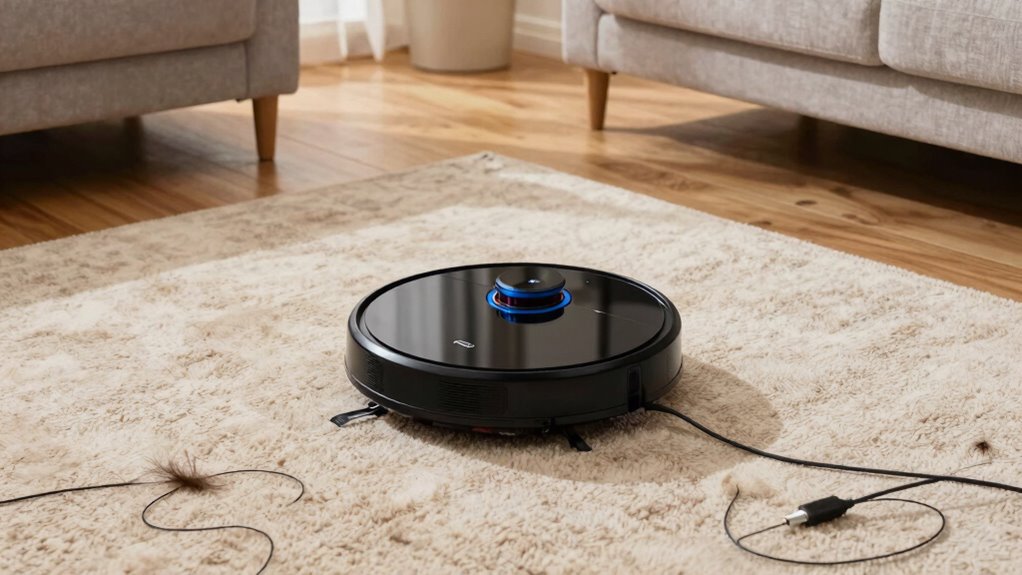
Start by clearing any clutter and obstructions to give your robot vacuum a smooth path. Next, optimize your floor surfaces by removing loose rugs and ensuring even flooring. Finally, set up cleaning zones to guide the vacuum and prevent it from missing spots or getting stuck. Additionally, regular maintenance of your vacuum, such as cleaning the brushes and sensors, can help improve its performance and ensure thorough cleaning. Incorporating best practices for vacuum care can extend the lifespan of your device and maintain its efficiency over time.
Clear Obstructions and Clutter
Before running your robot vacuum, you should clear away any obstructions and clutter that could block its path or cause it to miss spots. Obstruction removal is essential to *guarantee* your vacuum navigates smoothly and covers all areas. Remove loose cords, toys, and small objects from the floor, as they can tangle or halt the vacuum unexpectedly. Clutter clearing not only helps the robot move efficiently but also prevents it from getting stuck or missing corners. Take a moment to tidy up high-traffic areas and clear pathways. By eliminating obstacles and clutter, you improve the vacuum’s ability to clean thoroughly and reduce the chances of missed spots. Proper preparation makes your vacuum work more effectively and saves you time and frustration.
Optimize Floor Surfaces
Optimizing your floor surfaces can considerably enhance your robot vacuum’s cleaning performance. Start by ensuring your floor surface is smooth and free of loose rugs or mats that can cause the vacuum to miss spots. Regularly sweep or vacuum larger debris to prevent it from interfering with the device’s sensors and brushes. Adjust your cleaning schedule to match the type of floor surface you have; for example, more frequent cleanings on high-traffic or uneven areas help avoid buildup that can impede thorough cleaning. Consider using boundary strips or mats to section off cluttered zones, reducing the chance of missed spots. A well-prepared, clutter-free floor surface allows your robot vacuum to operate efficiently, ensuring consistent, all-encompassing cleaning every time.
Establish Cleaning Zones
Establishing designated cleaning zones helps your robot vacuum work more efficiently by focusing its attention on specific areas. Using effective mapping strategies, you can create clear zone settings that guide your robot’s navigation. Start by identifying high-traffic spots, cluttered spaces, or hard-to-reach corners, and set zones around them to ensure thorough cleaning. Label or mark these zones if your vacuum supports it, making zone setting easier. This approach prevents the robot from wasting time on less important areas and reduces missed spots. By defining zones, you give your vacuum clear boundaries, which improves coverage and minimizes repetitive passes. Proper zone setup ensures your robot vacuum operates smarter, not harder, leading to a more consistent and effective cleaning routine.
Are Hardware Problems Causing Missed Areas?

Hardware issues can cause your robot vacuum to miss spots, so it’s worth verifying for sensor malfunctions or obstructions. Blocked brushes or wheels might also prevent proper cleaning, while a weak or dead battery can limit its reach. Addressing these problems can help ensure your vacuum cleans thoroughly every time.
Sensor Malfunctions or Obstructions
Sensor malfunctions or obstructions are common culprits when your robot vacuum keeps missing the same spot. If the sensors aren’t properly calibrated, the vacuum might misjudge distances or ignore obstacles, causing it to overlook certain areas. Obstruction detection can also malfunction if dirt, dust, or debris covers the sensors, preventing accurate readings. Regularly check and clean the sensors to make sure they’re free of dust or smudges. If your vacuum’s sensors are misaligned or damaged, they might send incorrect signals, leading to missed spots. Resetting or recalibrating the sensors can often fix these issues. Keep in mind that hardware problems with sensors are a frequent cause of repeated missed areas, so maintaining and inspecting them regularly is key to consistent cleaning coverage.
Brush and Wheel Blockages
Blocked brushes or wheels are a common hardware issue that can cause your robot vacuum to miss the same spot repeatedly. Brush blockages happen when hair, string, or debris get tangled in the brushes, preventing them from spinning freely and cleaning effectively. Wheel obstructions occur when dirt or debris get lodged around the wheels, restricting movement and causing the vacuum to skip over certain areas. Regularly inspect and clear any debris from the brushes and wheels to ensure smooth operation. If the brushes or wheels are clogged, your vacuum won’t be able to reach or properly clean the targeted spot. Keeping these components free of obstructions helps maintain consistent coverage and prevents recurring missed spots during your cleaning sessions.
Battery or Power Issues
If your robot vacuum consistently misses the same spot, it could be due to battery or power issues that limit its performance. Power failures or insufficient battery charge can cause the vacuum to cut off prematurely, leaving certain areas untouched. Over time, battery degradation reduces the vacuum’s ability to hold a charge, resulting in shorter cleaning cycles and missed spots. If your device frequently stops before completing a room, it’s worth checking the battery’s health and charging stations. Replacing an old battery or ensuring your charging contacts are clean can restore proper power flow. Keep in mind that hardware problems like power failures often cause the vacuum to restart or shut down unexpectedly, leaving some areas uncleaned. Regular maintenance and battery checks are key to consistent cleaning coverage.
Top Tips to Troubleshoot and Prevent Missed Spots

To prevent your robot vacuum from missing the same spots repeatedly, start by thoroughly cleaning its sensors and brushes to remove dust and debris that can interfere with its navigation. Navigation glitches often cause missed areas; ensuring sensors are clear helps the vacuum map accurately. Additionally, check for firmware updates, as these fix bugs and improve navigation performance. Regularly resetting your device can also resolve persistent issues. Keep in mind that obstacles or clutter can cause missed spots, so tidy your cleaning area. Use the table below to understand how maintenance and updates improve coverage:
| Action | Benefit |
|---|---|
| Clean sensors & brushes | Accurate navigation |
| Update firmware | Fix glitches & enhance mapping |
| Clear obstacles | Prevent navigation errors |
| Reset device | Resolve persistent glitches |
| Tidy the environment | Improve overall cleaning performance |
Frequently Asked Questions
Can Robot Vacuum Placement Affect Its Cleaning Pattern?
Yes, vacuum placement can influence your robot’s cleaning pattern. If you position the vacuum in a corner or near obstacles, it might focus on specific areas and miss others. To improve coverage, place your robot in an open, central spot and clear clutter beforehand. Proper vacuum placement ensures a more efficient cleaning pattern, helping your robot cover all areas evenly and avoid missing spots repeatedly.
How Often Should I Replace the Sensors on My Vacuum?
You should replace your vacuum’s sensors based on their sensor calibration and the replacement schedule recommended by the manufacturer, usually every 1-2 years. If you notice your robot struggling with navigation or missing spots despite proper placement, it’s time to check and recalibrate the sensors or consider replacements. Regular maintenance ensures your vacuum navigates effectively and keeps your home thoroughly clean.
Does Carpet Type Influence the Vacuum’s Ability to Clean Thoroughly?
Did you know that textured carpets can trap 30% more dust and debris? Carpet type definitely influences your vacuum’s cleaning effectiveness. Thicker, plush carpets with varied textures may challenge your robot, causing it to miss spots or struggle with suction. Smooth or low-pile carpets usually get cleaner faster. To improve cleaning, consider adjusting the vacuum’s settings for different carpet textures or upgrading to a model with stronger suction for better results.
Are There Specific Floor Types That Cause Missed Spots?
Yes, certain floor types like wood floors and tile surfaces can cause your robot vacuum to miss spots. Smooth surfaces may reflect sensors or cause the vacuum to slip, leading to missed areas. To improve coverage, verify your vacuum’s sensors are clean, and consider adjusting settings or using boundary strips. Regular maintenance helps your vacuum navigate better, ensuring it cleans every spot on your wood or tile floors effectively.
How Long Does a Typical Robot Vacuum Battery Last Before Performance Declines?
A typical robot vacuum’s battery lasts about 1 to 2 years before performance declines. The key factor is the battery lifespan, which depends on charging cycles—usually around 300 to 500 cycles. As you use your vacuum regularly, it gradually holds less charge, leading to shorter cleaning sessions. To maintain peak performance, avoid draining the battery completely and recharge it after each use.
Conclusion
Remember, a stitch in time saves nine. Regularly clean your sensors, clear clutter, and keep your software updated to guarantee your robot vacuum covers every inch. Don’t ignore small issues—address them early to prevent bigger problems down the line. With proper maintenance and planning, you’ll enjoy spotless floors without missing a spot. Keep these tips in mind, and your vacuum will do its job perfectly every time.