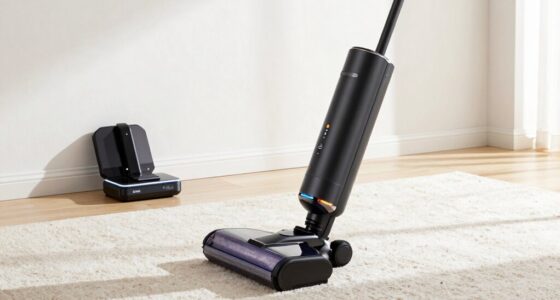
Proper maintenance of your Bissell ProHeat 2X Revolution Pet Turbo is key to ensuring long-lasting, effective cleaning. Regular upkeep prevents clogs, maintains suction power, and extends the lifespan of your machine. Whether you’re a new user or a seasoned pro, this guide provides detailed, practical steps to keep your Bissell carpet cleaner in top shape.

Get cleaning gear delivered free with Prime
- Fast, free delivery on millions of items
- Prime Video, Amazon Music and more included
- Member-only deals all year
From routine cleaning to troubleshooting common issues, you’ll find everything you need to perform safe and effective maintenance. Let’s dive into the essential steps to keep your Bissell performing like new.
Key Takeaways
| Regular cleaning extends lifespan | Clean the brush rolls and tanks after every use. |
| Check filters frequently | Replace or clean filters monthly for optimal suction. |
| Use recommended solutions | Always use Bissell-approved solutions for safety and efficiency. |
| Troubleshoot common issues | Address suction loss or clogs promptly with step-by-step fixes. |
| Safety first | Unplug the machine before maintenance to avoid electrical hazards. |
Preparing Your Bissell Carpet Cleaner for Maintenance
Before starting any maintenance, ensure your Bissell ProHeat 2X Revolution Pet Turbo is unplugged from the power outlet. Remove the water tank, clean out any remaining solution, and empty the dirty water tank. Inspect the brushes and hoses for visible debris or hair that may obstruct cleaning performance. Having your cleaning tools and replacement parts ready will streamline the process.
Gather a soft cloth, mild detergent, and replacement filters or brush rolls if needed. Always wear gloves if you have sensitive skin or if the machine has been used on heavily soiled areas.
Cleaning and Maintaining the Brush Rolls
- Remove the brush roll cover by pressing the release latch or unscrewing if necessary. Refer to your user manual for specific steps.
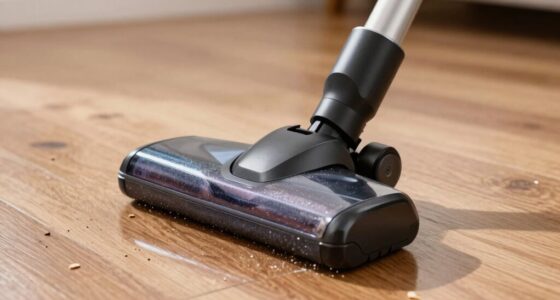
- Pull out the Dual Dritlifter PowerBrushes carefully. Remove hair, fibers, and debris wrapped around the bristles using a scissors or a small brush.
- Wash the brush roll with warm water and a mild detergent. Rinse thoroughly and dry completely before reinstalling.
- Reinsert the brush rolls and secure the cover tightly. Check for proper fit to ensure no debris escapes during use.
Cleaning and Replacing Filters
Filters play a crucial role in maintaining suction and trapping dirt. Remove the filters from their compartments and rinse them under running water if they are washable. If they are disposable, replace them with compatible filters such as the JORAIR Brush Replacement (asin=B08ZS3PSD6).
Allow washable filters to air dry completely before reinstalling. Replace filters every 3-6 months or when visibly dirty to keep the machine performing optimally.
Cleaning Water Tanks and Solution Dispensers
Regularly clean the clean water and dirty water tanks to prevent mold and bacteria buildup. Use warm water and a mild detergent to wipe the tanks thoroughly. Rinse well and dry before refilling.
Check the solution dispenser for clogs. Use a small brush or pin to clear any obstructions. Only use recommended solutions like the Bissell Multi-Surface Solution (asin=B07QH39NBP) to avoid damage and ensure cleaning efficacy.
Troubleshooting Common Issues
- Suction Loss: Check for clogged hoses or filters. Clean or replace as necessary. Ensure the water tanks are properly seated.
- Brush Roll Not Turning: Inspect for hair or debris tangled around the brush. Clean thoroughly and verify the belt is intact.
- Leaks or Spills: Tighten all tank lids and connections. Replace damaged seals or gaskets if needed.
- Unusual Noises: Turn off and unplug the machine. Remove obstructions from brushes or fans, then test again.
Safety Tips and Best Practices
Always unplug the machine before performing maintenance. Use only manufacturer-approved parts and solutions to prevent damage. Avoid overfilling water tanks and follow the recommended cleaning schedule to prevent clogs and mechanical issues. Store the cleaner in a dry, cool place and check for loose parts periodically.
When cleaning the brush rolls, be cautious of sharp edges. If your machine shows persistent problems despite troubleshooting, consult Bissell customer service or a professional repair technician.
The Products in This Guide

BISSELL ProHeat 2X Revolution Pet Turbo Upright Carpet C
- ✔ Power Source: AC Power
- ✔ Run Time: N/A (corded)
- ✔ Warranty: 2 years

JORAIR Brush Replacement Compatible
- ✔ Package Includes: Brushes and filters
- ✔ Compatibility: Specific Bissell CrossWave models
- ✔ Material: Durable plastic and fibers
BISSELL ProHeat 2X Revolution Pet Turbo Upright Carpet C
The BISSELL ProHeat 2X Revolution Pet Turbo offers 40% more suction power with a quieter operation, making it ideal for pet owners who want a deep clean without noise disturbance. Its Heatwave technology maintains water temperature, enhancing cleaning results, while MAX Clean Mode tackles embedded dirt and stains effectively.
Pros:
- Powerful suction with TurboStrength motor
- Quiet operation reduces noise
- Effective pet stain removal
- Fast drying with Express Clean Mode
Cons:
- Can be heavy for some users
- Requires regular filter and brush maintenance
- Higher upfront cost
Best for: Homes with pets and heavily soiled carpets requiring deep cleaning
Not ideal for: Lightweight cleaning needs or quick touch-ups
Bottom line: A powerful, pet-friendly carpet cleaner that combines quiet operation with deep-cleaning technology.
JORAIR Brush Replacement Compatible
The JORAIR Brush Replacement set offers compatible multi-surface brush rolls and filters, ensuring your Bissell stays effective and maintains its cleaning power. Ideal for replacing worn parts and keeping your machine running smoothly.
Pros:
- Compatible with multiple Bissell CrossWave models
- Includes 3 brush rolls and filters
- Affordable maintenance option
- Easy to install
Cons:
- Limited to specific models
- Only compatible with certain Bissell models
- Replacement frequency depends on usage
Best for: Maintaining optimal performance and extending machine lifespan
Not ideal for: For users seeking original manufacturer parts only
Bottom line: A cost-effective way to keep your Bissell CrossWave performing at its best.
Frequently Asked Questions
How often should I clean the brush rolls?
It’s best to clean the brush rolls after every few uses, especially if you have pets or heavily soiled carpets, to prevent hair and debris buildup that can reduce cleaning efficiency.
Can I use other cleaning solutions besides Bissell formulas?
While you can use other solutions, it’s recommended to stick with Bissell-approved products like the Multi-Surface Solution for safety and compatibility, ensuring optimal cleaning results.
What should I do if my machine stops suctioning?
Check for clogs in the hoses, clean or replace filters if dirty, and ensure the water tanks are properly seated. Clearing hair or debris from the brush roll can also restore suction.
How do I replace the filters?
Remove the filter compartment cover, take out the old filter, and insert a new one. Rinse washable filters with water and let them dry completely before reinstalling.
Is it safe to leave the machine plugged in during maintenance?
No, always unplug your Bissell cleaner before performing any maintenance to prevent electrical hazards.
Keep Your Carpet Cleaner in Peak Condition for Long-Lasting Performance
Regular maintenance of your Bissell ProHeat 2X Revolution Pet Turbo ensures it continues to deliver powerful, effective cleaning tailored to your needs. By following the proper cleaning, filter replacement, and troubleshooting steps outlined here, you can prevent common issues and extend the lifespan of your machine.
Remember, safety is paramount—always unplug before servicing, use recommended solutions, and replace worn parts promptly. With consistent upkeep, your Bissell will remain a reliable partner in maintaining a clean, fresh home environment for years to come.
Affiliate disclosure: As an Amazon Associate we earn from qualifying purchases. Prices and availability are accurate as of the time of publishing.
Columbus Day / Indigenous Peoples' Day Picks
long weekend sales
As an affiliate, we earn on qualifying purchases.