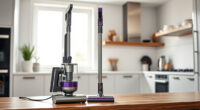
If your Roborock Q7 M5+ Robot Vacuum and Mop keeps getting stuck during cleaning, don’t worry. This guide provides clear, safe troubleshooting steps to identify and resolve common issues, helping your vacuum operate smoothly again.

Get cleaning gear delivered free with Prime
- Fast, free delivery on millions of items
- Prime Video, Amazon Music and more included
- Member-only deals all year
From checking obstacles to cleaning sensors, follow these practical steps to improve your device’s navigation and prevent future stalls.
Key Takeaways
| Check for obstacles | Ensure the path is clear of items that can block the vacuum. |
| Inspect sensors | Clean and verify the sensors are unobstructed for accurate navigation. |
| Review the wheels | Remove hair or debris from wheels and ensure they spin freely. |
| Update firmware | Keep the vacuum’s software up to date for optimal performance. |
| Map and settings | Re-map your area and adjust settings to improve navigation. |
1. Clear Obstacles and Check the Path
- Remove any objects, cords, or small items from the floor that could block the vacuum’s path.
- Ensure the cleaning area is free of clutter, especially in tight corners and narrow spaces.
2. Clean and Inspect Sensors
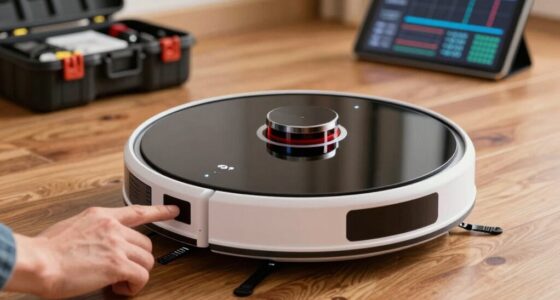
Locate the sensors on the underside and front of the vacuum. Gently wipe them with a soft, dry cloth to remove dust or dirt that might interfere with navigation.
If sensors are dirty or obscured, the vacuum may misjudge obstacles and get stuck.
3. Check Wheels and Brushes
- Turn off the vacuum and inspect the wheels for hair, string, or debris wrapped around them.
- Remove any tangled hair or debris carefully, ensuring the wheels spin freely.
- Check the main brush and side brushes for obstructions and clean as needed.
4. Update Firmware and Re-map
Open the Roborock app and check for firmware updates. Installing the latest version can fix bugs related to navigation.
Re-map your cleaning area if the robot’s map is outdated or inaccurate, which can improve its path planning.
Tips and Warnings
- Always turn off and unplug the vacuum before performing maintenance to avoid injury.
- Use a soft, dry cloth to clean sensors and avoid harsh chemicals that can damage electronics.
- Regularly check and clean wheels and brushes to prevent repeated getting stuck.
The Products in This Guide

roborock Q7 M5+ Robot Vacuum and Mop
- ✔ Suction: 10000Pa
- ✔ Battery: Long-lasting
- ✔ Navigation: LiDAR

4 Pack Washable Filter
- ✔ Type: HEPA
- ✔ Washable: Yes
- ✔ Compatibility: Multiple Roborock models
roborock Q7 M5+ Robot Vacuum and Mop
The Roborock Q7 M5+ Robot Vacuum and Mop offers powerful suction and PreciseSense LiDAR navigation, making it highly effective at avoiding obstacles and cleaning thoroughly. Its dual anti-tangle system is especially helpful for pet hair and carpets.
Pros:
- Strong 10000Pa suction
- Advanced LiDAR navigation
- Pet hair and carpet friendly
- Long-lasting self-emptying dock
Cons:
- Premium price
- Requires app setup
- Can get stuck on very cluttered floors
Best for: Homes with pets or thick carpets needing powerful cleaning
Not ideal for: Very cluttered or obstacle-heavy environments without regular cleaning
Bottom line: Reliable, high-powered vacuum with smart navigation, but requires regular maintenance to prevent getting stuck.
4 Pack Washable Filter
This 4-pack of washable HEPA filters ensures your Roborock maintains optimal suction and air filtration, reducing the chance of blockages and improving overall performance.
Pros:
- Enhances filtration
- Reusable and eco-friendly
- Easy to replace
- Compatible with multiple models
Cons:
- Must be washed regularly
- Not OEM but high quality
- Replacement needed every few months
Best for: Maintaining suction power and air quality
Not ideal for: If you prefer OEM filters or less maintenance
Bottom line: A cost-effective way to keep your vacuum’s filtration system running smoothly.
Frequently Asked Questions
Why does my Roborock keep getting stuck on the same spot?
This could be due to obstacles not detected correctly, dirty sensors, or navigation errors. Follow the cleaning and sensor tips above to resolve this.
How often should I clean the wheels and sensors?
Inspect and clean the wheels and sensors weekly to prevent debris buildup that can cause sticking or navigation issues.
Can updating firmware fix stuck issues?
Yes, firmware updates often include navigation improvements and bug fixes that can help prevent the vacuum from getting stuck.
Is it safe to clean sensors with water?
No, avoid using water or harsh chemicals. Use a dry, soft cloth to gently clean sensors and prevent damage.
Keep Your Roborock Running Smoothly
Regular maintenance, obstacle management, and software updates are key to preventing your Roborock from getting stuck. Following these steps will help ensure reliable, efficient cleaning for your home.
Affiliate disclosure: As an Amazon Associate we earn from qualifying purchases. Prices and availability are accurate as of the time of publishing.